
Web app: advanced
Navigate by bus only
Find every bus between two stops, or the quickest journeys with a change or a short walk, with live timings for each part.
The route planner, Navigate's Bus only tab, answers "which bus gets me from here to there?" Give it a start and an end stop, and it lists every bus that runs from one to the other. When no single bus does, it finds the quickest journeys with up to three changes. For trains as well, and any place rather than a stop, use the Bus and train tab: see Navigate.
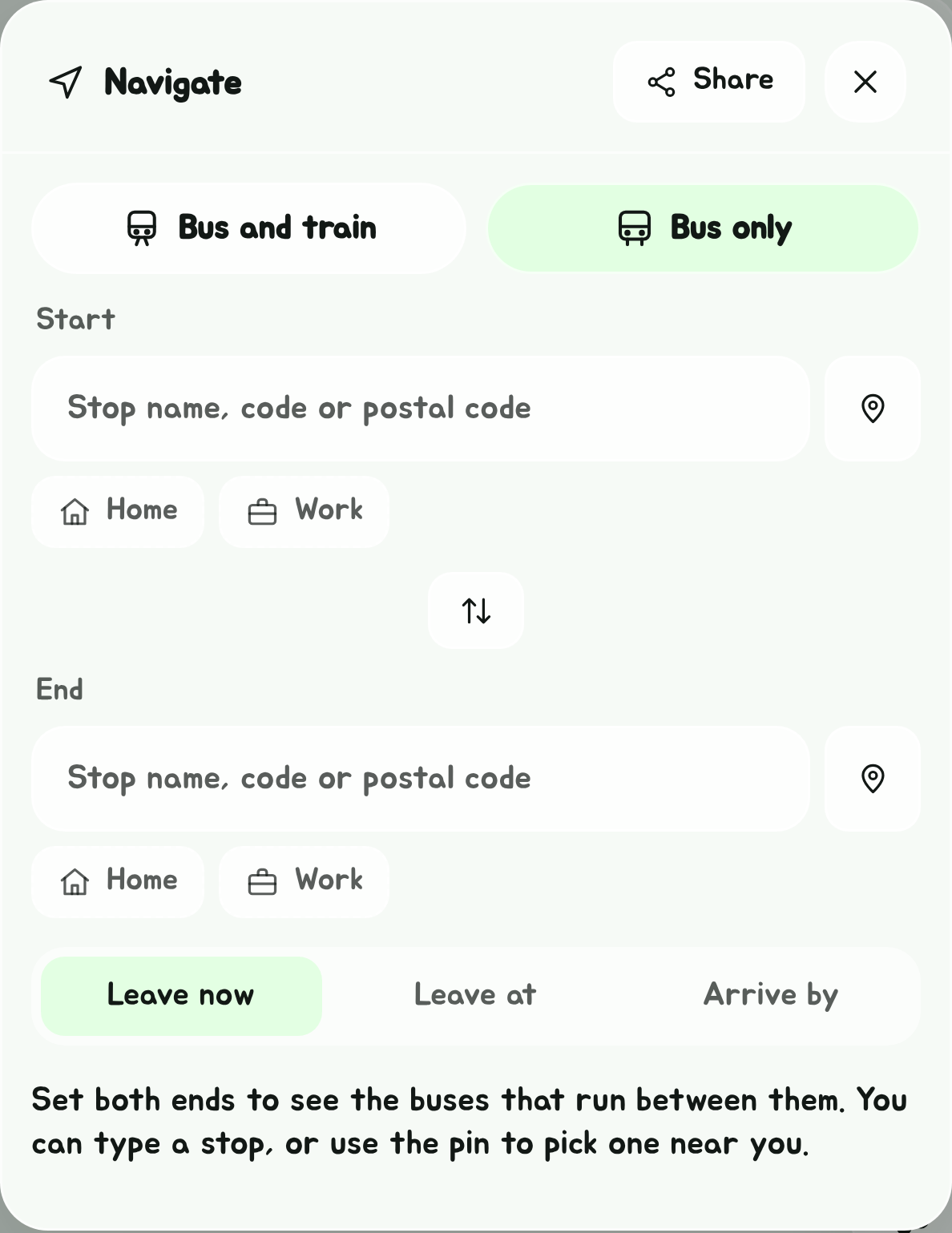
Set the two ends
- Tap Navigate, the arrowhead in the Edge Tray, then the Bus only tab. (It opens on Bus only by itself if that's the tab you used last.)
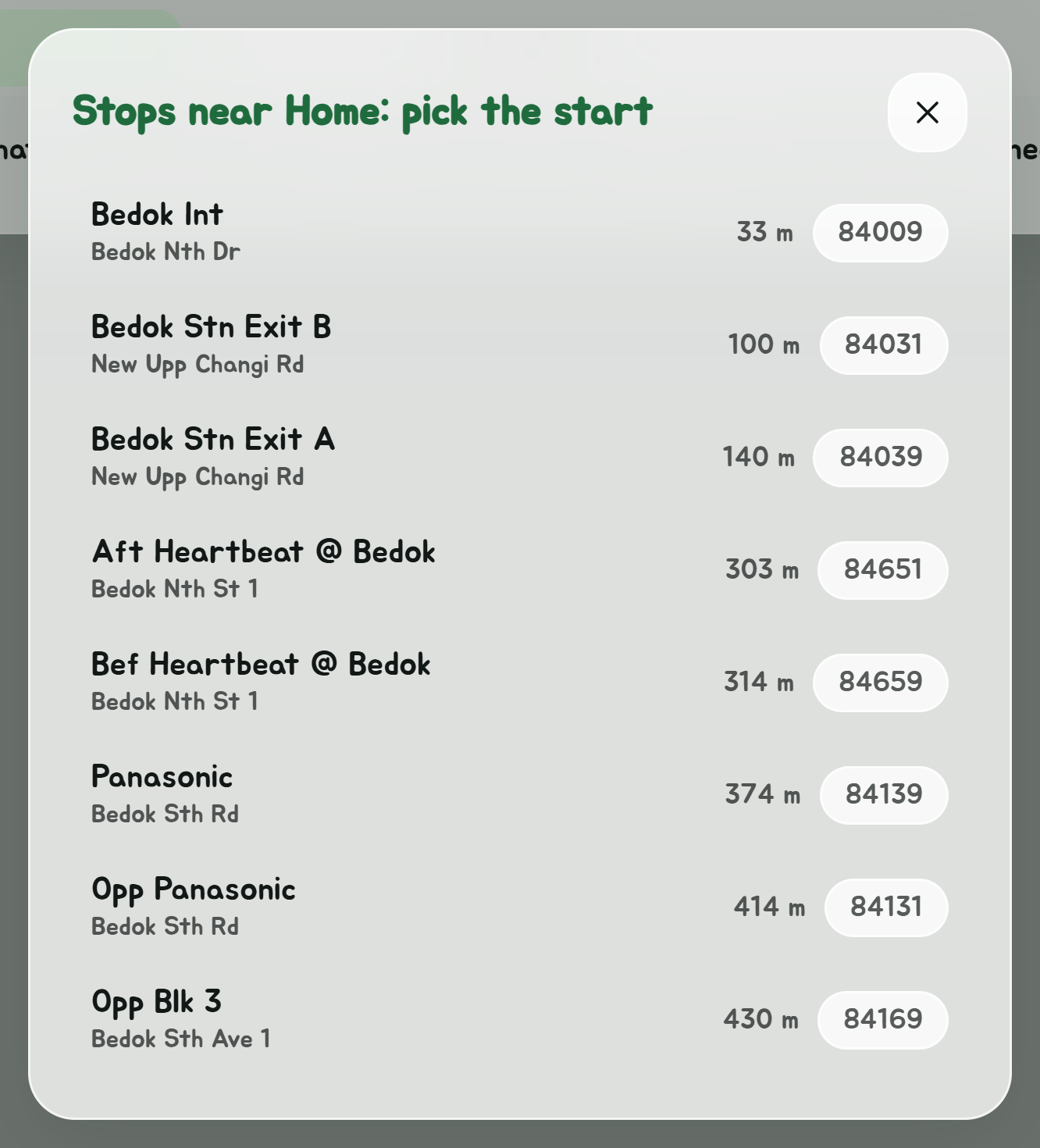
- In Start, type a stop's name, its code, or a 6-digit postal code, and pick it from the list. Or tap the pin next to the box to pick from the stops near you, or Home or Work under it to pick from the stops near the place saved in Settings. If that place is itself a bus stop, it's used as it is.
- Do the same in End.
The swap button between the two boxes turns the route around.
Direct buses to the other end
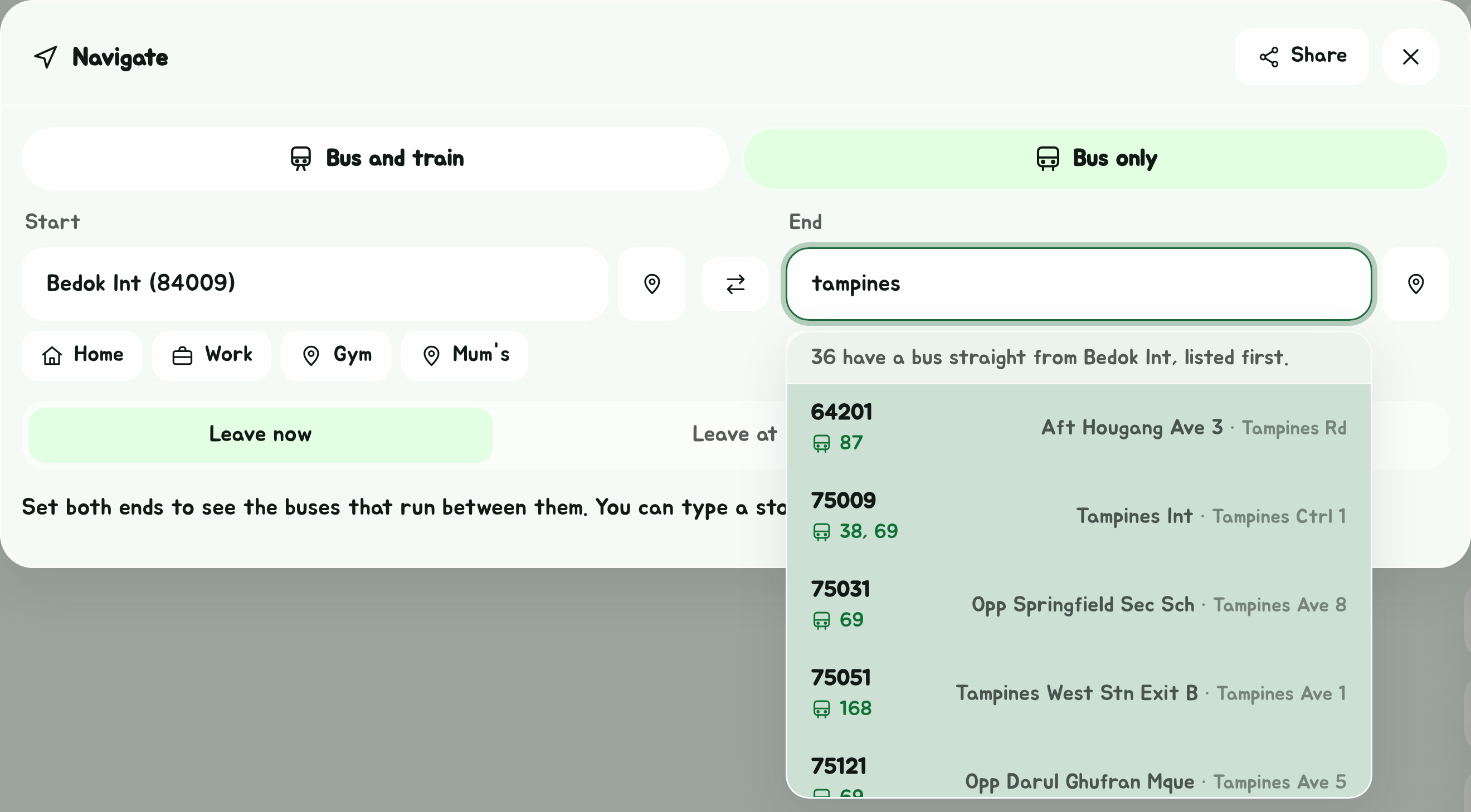
Once one end is set, the stops offered for the other do some of the planning for you. The stops with a bus straight to your end (or, when you're picking the end, straight from your start) go to the top, tinted green, with their buses shown:
- Typing a name in the box: they lead the suggestions, with the buses under the stop code and a line above saying how many there are. Every stop matching what you typed is checked, so one further down the alphabet still makes the top. Enter picks the first one shown.
- The pin, Home, Work or a postal code: they lead the list of nearby stops, with Direct: 10, 24 under each name. The line above the list also says when none of them has one, so the planner will look for journeys with a change.
Only a bus heading the right way counts, the same rule as the list of buses below. Among the marked stops, and among the rest, the usual order still holds: nearest first for nearby stops, best match first for a typed name.
Pick a time
Under the boxes, Leave now is picked to start with. Tap Leave at or Arrive by to plan for another time instead, then pick the day (today or any of the next six) and the time.
Only buses running at that time are offered, for Leave now as well: a bus counts as running between its first and last bus at your stop, for that day of the week, with public holidays counted as Sundays. A bus that runs the whole way but isn't running then is named under the list, as Not running at that time, and if none of them is, the planner looks for journeys with a change instead.
With a time picked:
- the buses that run the whole way come with when you'd get in (Leave at) or when to set off (Arrive by);
- each journey shows when you'd set off and get in, as 08:30 → 09:05, counting an average 5-minute wait for each bus. For Arrive by, a journey you'd have had to leave on already says Too late.
The planner goes back to Leave now each time it's opened, including from a saved route.
Buses that run the whole way
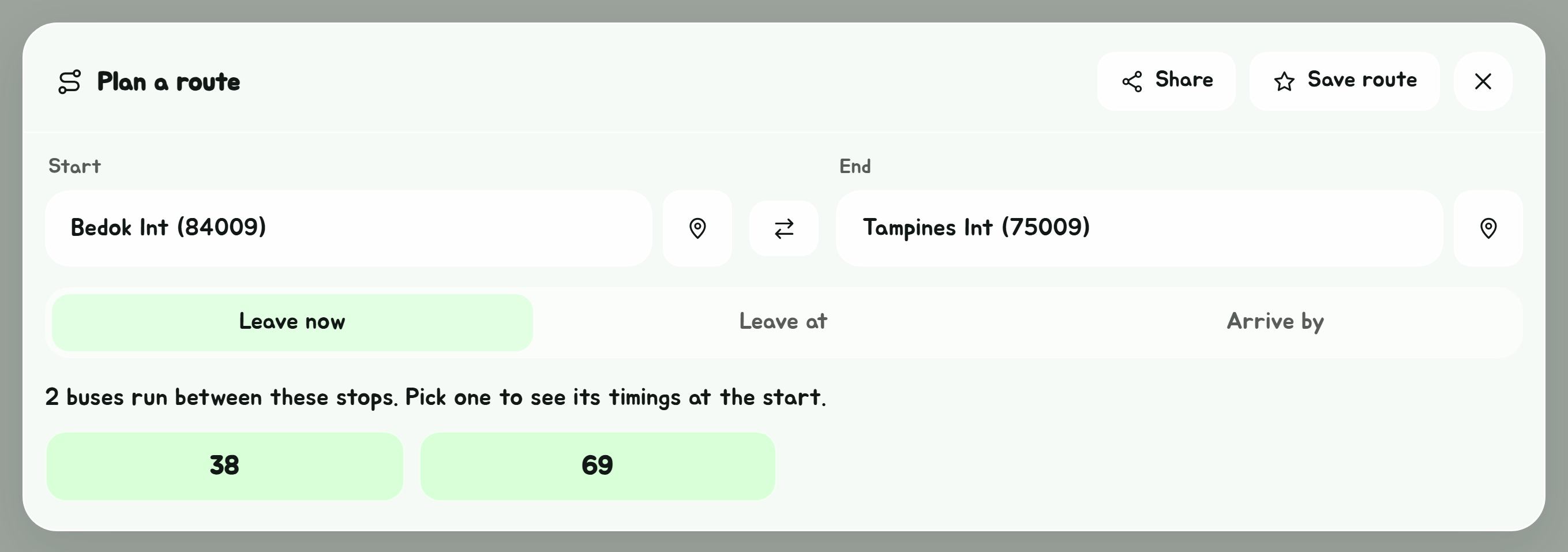
If one or more buses run from the start to the end without a change, the planner lists them as a grid, with your favourite buses starred. Only a bus heading the right way counts: one that calls at your start and then, later on the same trip, at your end. A loop service counts as far as its interchange, but not round past it.
Tap a bus to open the start stop's timings for it. The timings say how many stops the bus has to go to your end, and Back to route returns to the planner.
Journeys with a change
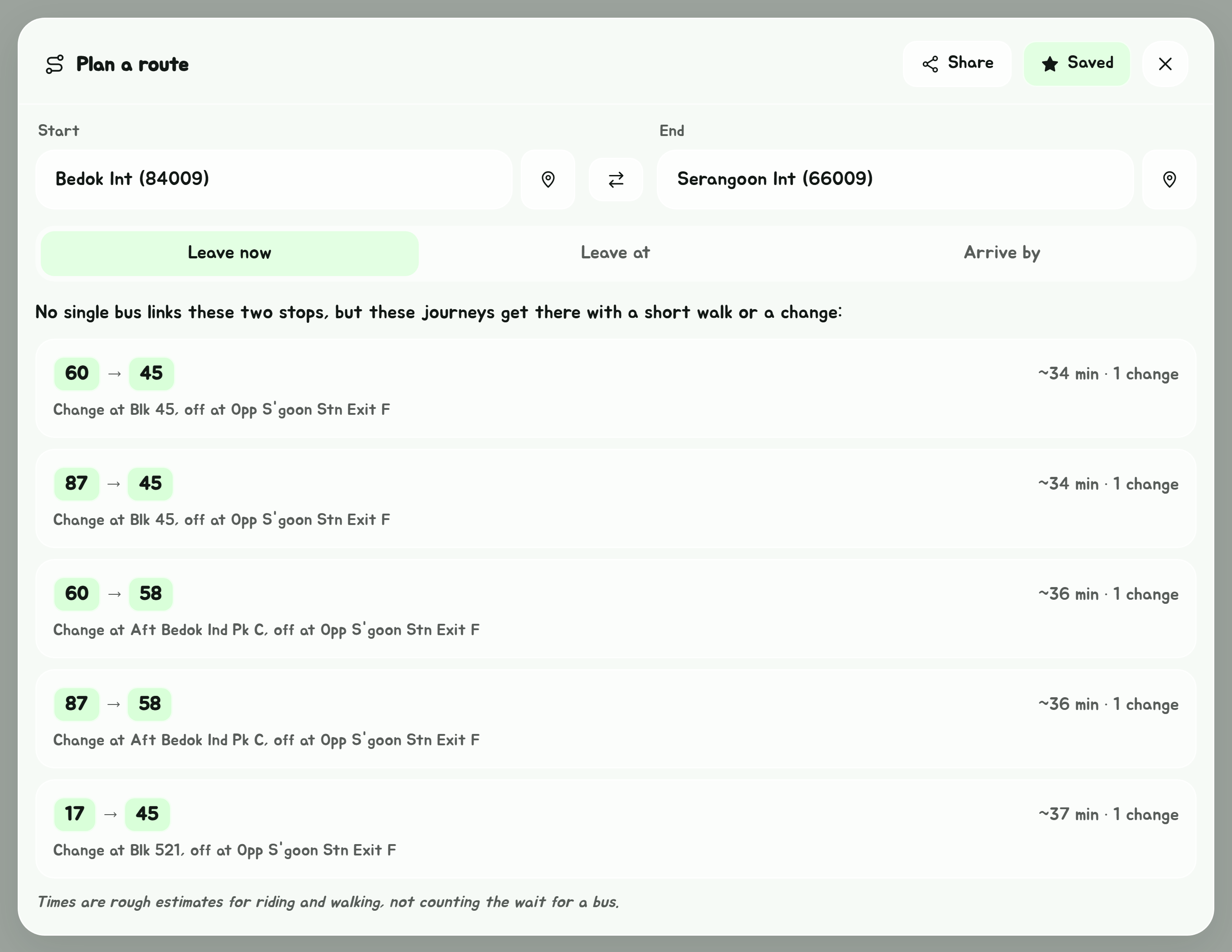
When no single bus links the two stops, the planner offers the quickest five journeys instead. Each one shows:
- the buses in order, such as 60 then 45;
- roughly how long it takes on the move, and how many changes;
- where to change, and where you get off when that is not your end stop.
A journey can take up to three changes, and can include a walk of up to 200 m: to a stop across the road at either end, or between two buses. Journeys are ranked by time riding and walking, plus 6 minutes for each change, so a slightly longer ride is preferred to an extra change.
At an interchange, terminal or station, a change can also be between any two of its stops up to 400 m apart, such as Tampines Int and Tampines Stn/Int. The walk is timed like any other, so a long one is only suggested when it's worth it. If your first bus goes on into the interchange your next one leaves from, the journey stays on it, unless getting off at the station's stop and walking is clearly quicker.
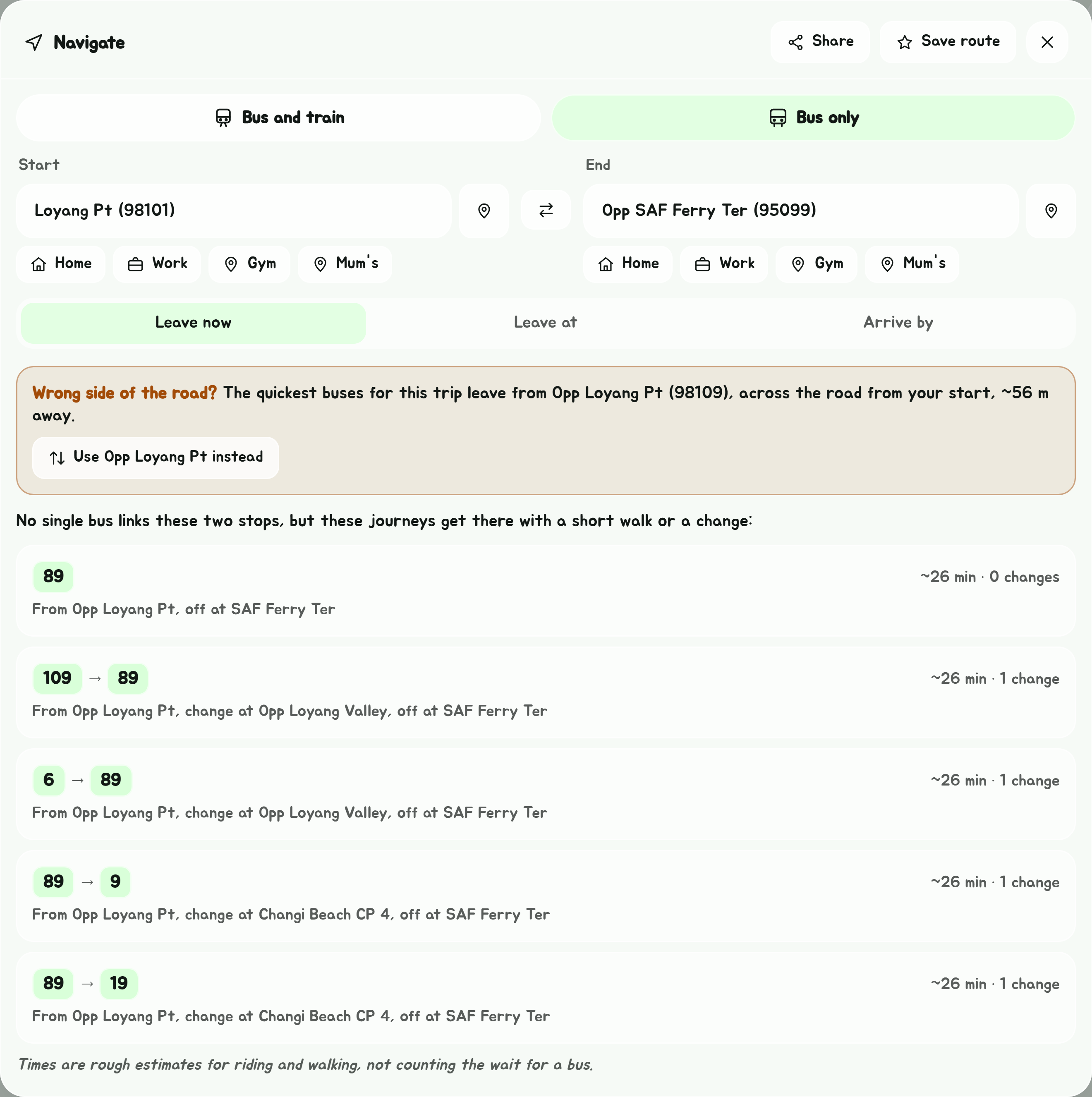
The same goes for your end stop: if the bus calls at a stop nearer it within a couple of minutes' more riding, you stay on to that one rather than getting off a stop early and walking further. To Opp SAF Ferry Ter, you get off at SAF Ferry Ter across the road, not Changi Beach CP 5 before it. Your first bus is boarded the same way, at the stop nearest your start.
Across the Causeway
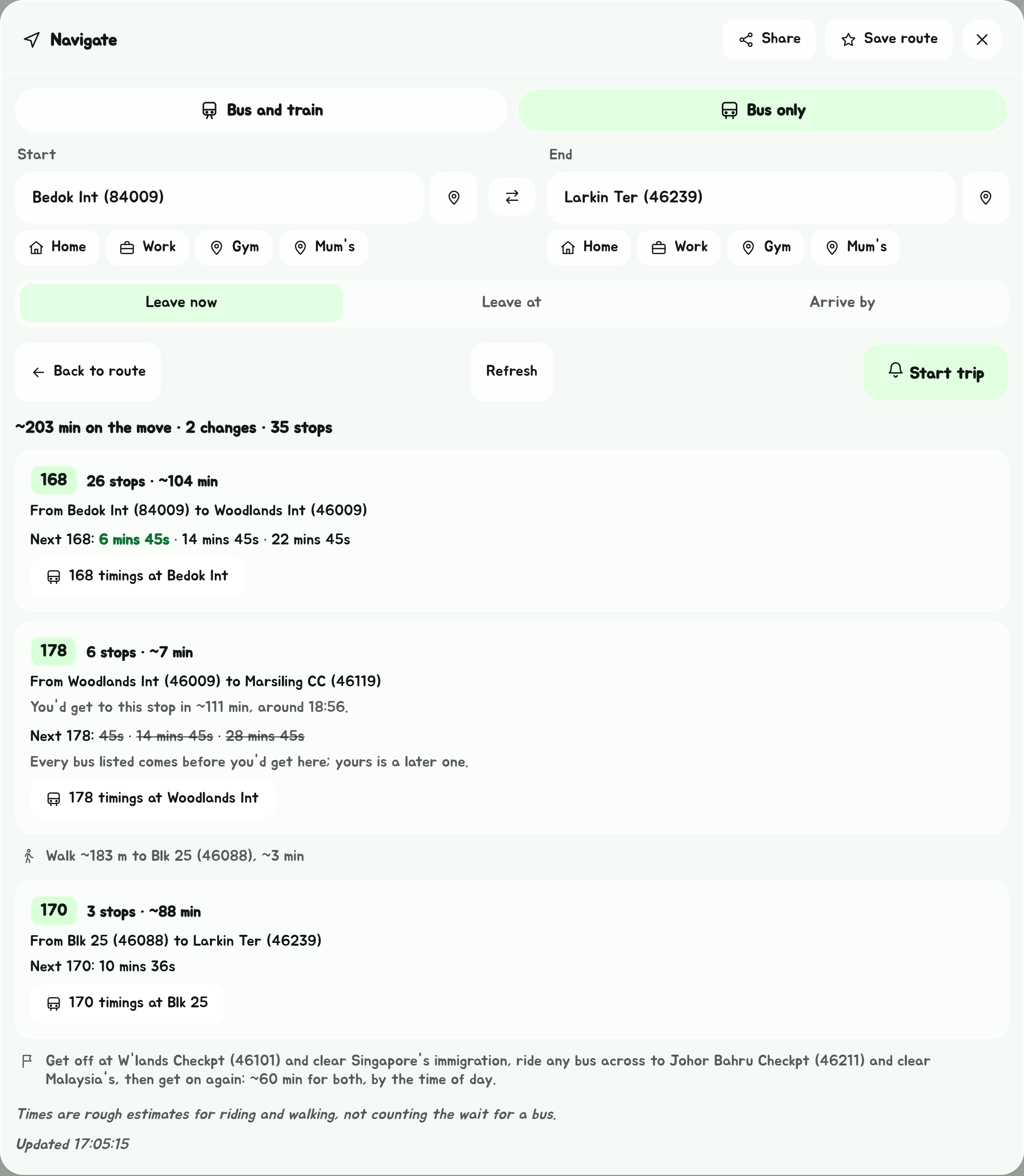
A bus to Johor Bahru, or back, stops at both checkpoints for everyone to clear immigration. Journeys count that time, and say so as a step: about 15 minutes when it's quiet and up to an hour at the rush, by the time of day, or your own time from Settings, Immigration time. Started as a trip, the Get Off Alert tells you to get off at each checkpoint.
Stops only authorised people may use, inside Changi Airport's cargo area and at MINDEF on Gombak Drive, are left out, unless Settings' Restricted areas is set to I have a pass: see Settings.
LTA publishes no journey times, so these are estimates from the straight line distance between stops: about 15 km/h on a bus and 60 m a minute on foot. They are good for comparing journeys, but rough as a clock. They do not count the time spent waiting for a bus.
Open a journey
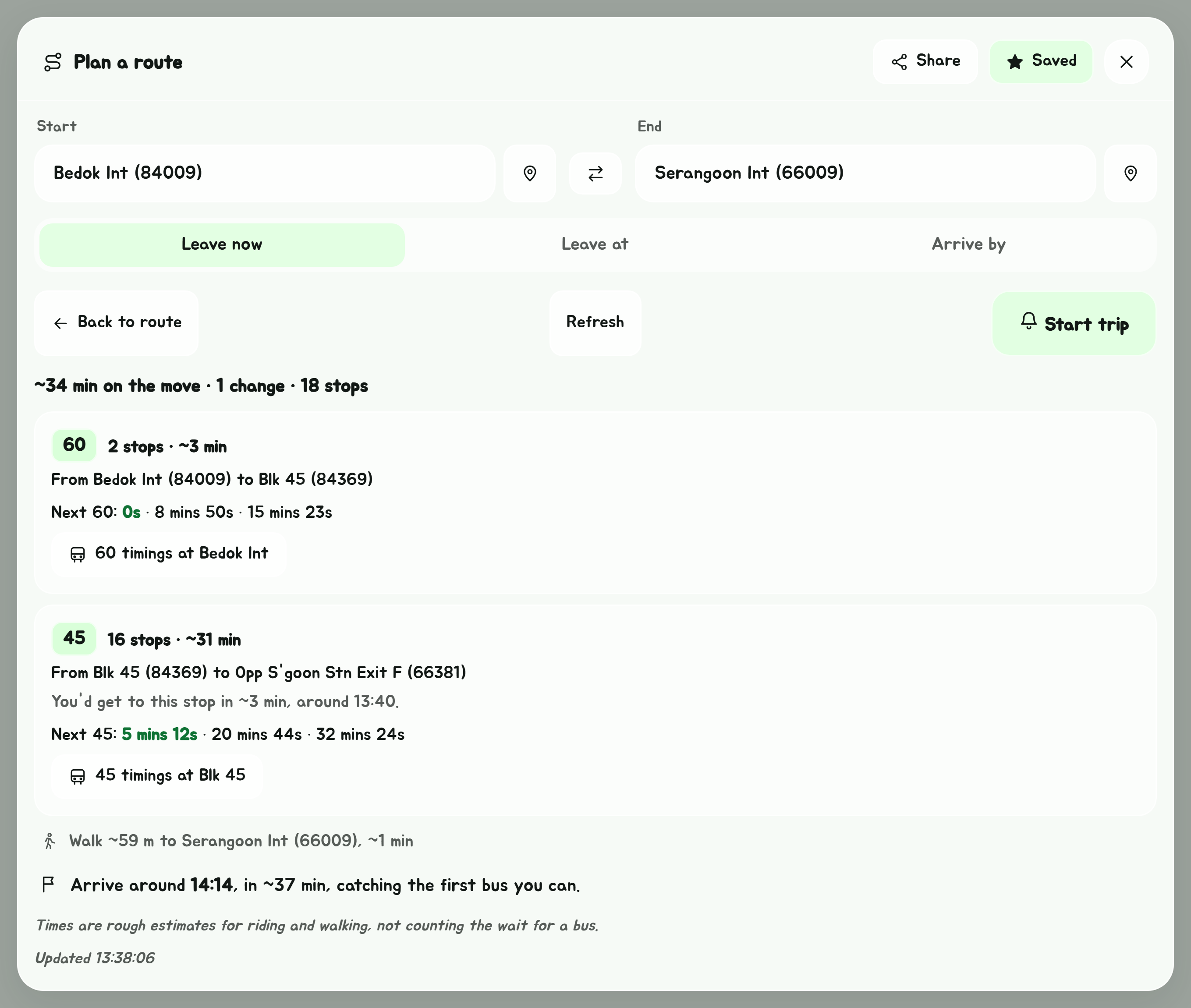
Tap a journey to see it part by part:
- each bus, how many stops you ride it, and roughly how long;
- any walk, with its distance;
- the live timings of each bus at the stop you board it.
From the second bus on, the planner works out roughly when you would reach that stop. Buses due before then are struck through, because they will have gone, and the one you would catch is in bold. At the end it gives a rough arrival time for the whole journey.
With a time picked, the journey starts with when to set off. Live timings only reach about half an hour ahead, so for a journey setting off later than that, each bus says roughly when you'd board it instead, after an average wait, and its live timings show up from half an hour before you set off.
Each bus has a button to open that stop's timings for the bus. Use Refresh to update the live timings, and Back to route to return to the list of journeys. Start trip follows you along the journey and buzzes two stops before each change and the end: see Get Off Alert.
For a journey that takes a train too, or starts or ends somewhere other than a bus stop, use Navigate.
Picked the wrong side of the road?
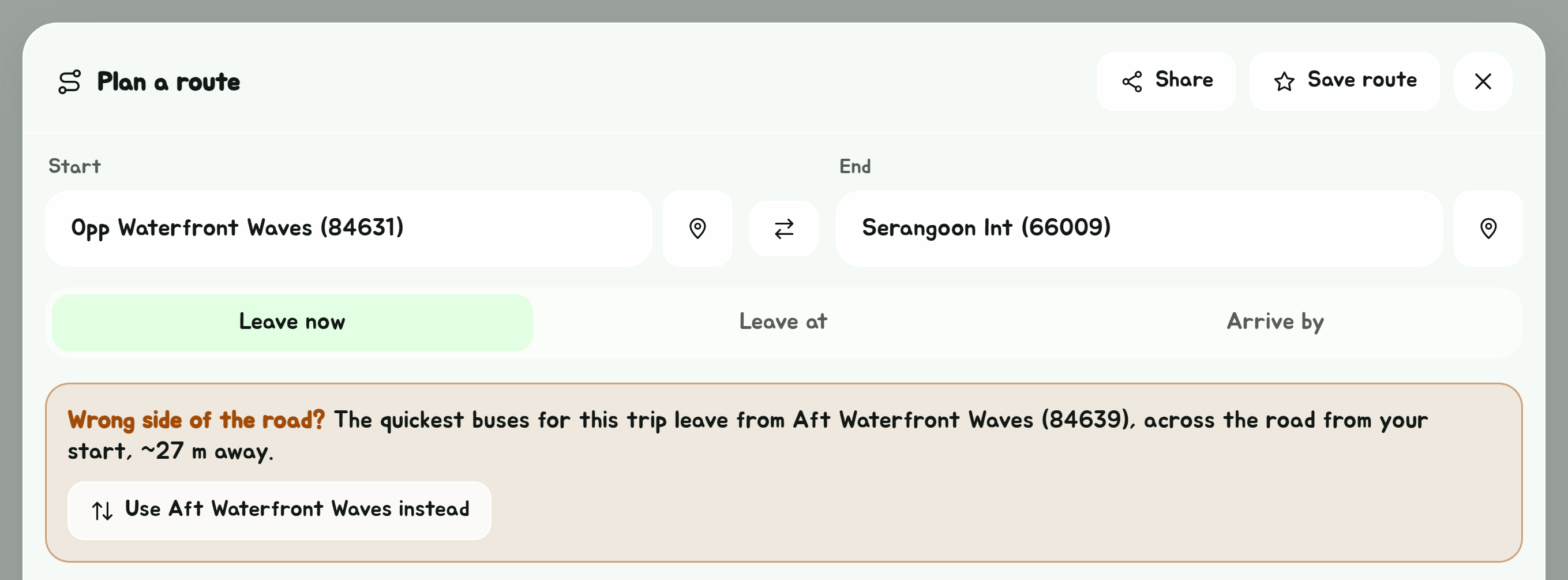
The two sides of a road are two different bus stops, and a bus only calls at the one on its side. It is easy to pick the stop your bus does not go your way from.
When the quickest journey boards or gets off at the stop across the road from one of your ends, and staying where you are would be at least 5 minutes slower or impossible, the planner says so:
Wrong side of the road? The quickest buses for this trip leave from Opp Waterfront Waves, across the road from your start, ~27 m away.
with a button, Use Opp Waterfront Waves instead, that swaps the stop in. When both ends are on the wrong side, the button reads Use the stops across the road. Swap before you save the route, so the one you save is the right one.
Save the route

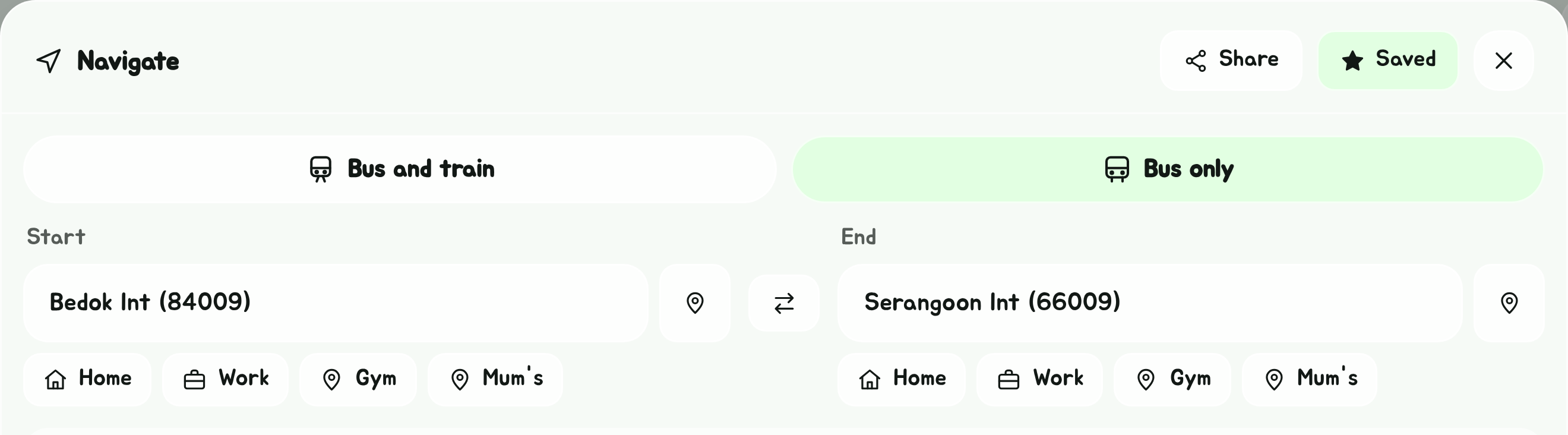
Tap Save route to add it to your favourites, under Bus-only routes. A route is saved in the direction you set it: Bedok Int to Serangoon Int, and Serangoon Int to Bedok Int, are two different favourites.
Share the route
Tap Share at the top of the planner to send someone a link to it. On a phone it opens your share sheet; on a computer it copies the link. It works with one end set, or none, too: the person you send it to gets the planner as far as you filled it in, with your time if you picked one.
The planner opens in a window over the page. To close it, tap the close button at its top right, or anywhere outside it. Opening a bus's timings from it, or starting a trip, closes it too; Back on the timings brings it back.