
Android app: advanced
The sgbus terminal
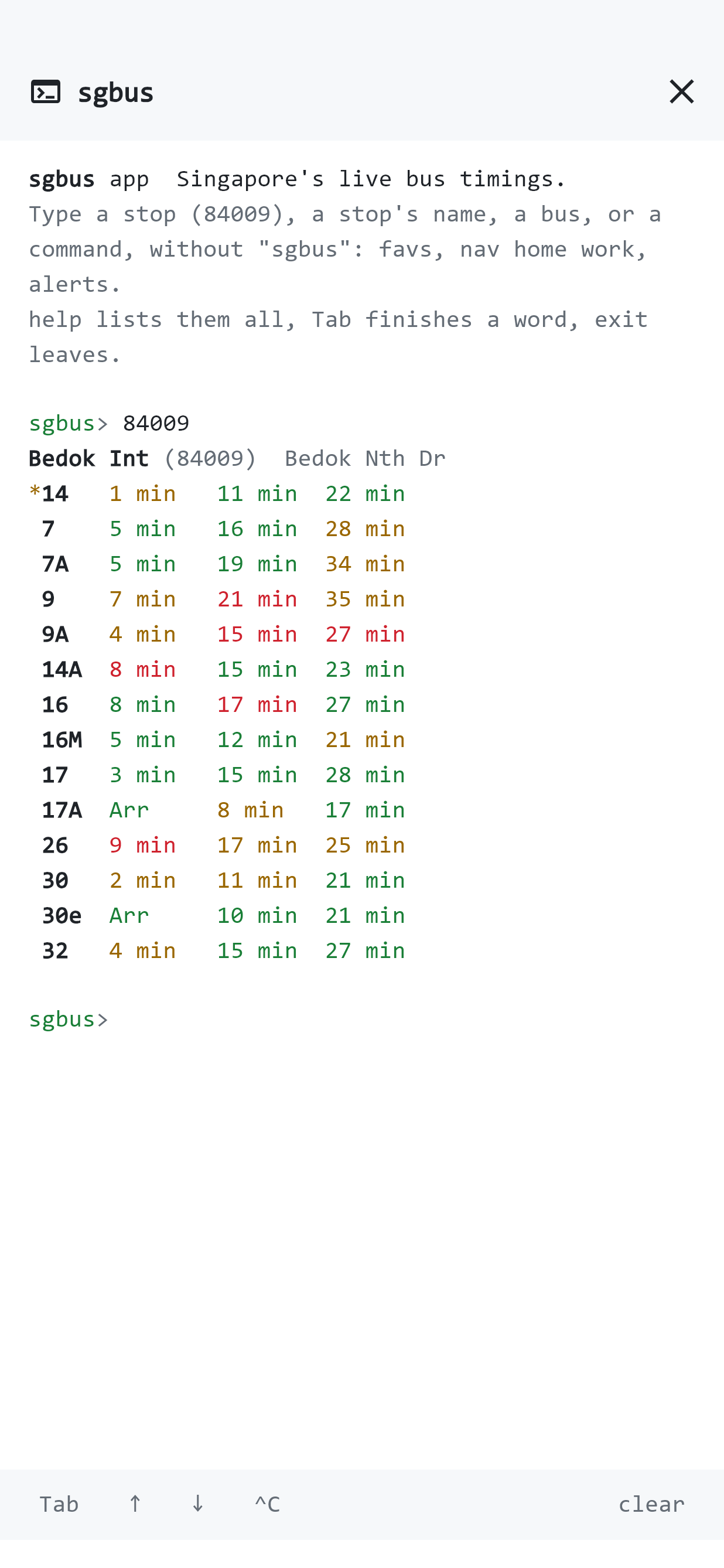
The Linux command line's sgbus prompt inside the Android app, with a bar of keys a phone's keyboard hasn't got.
The sgbus terminal is the Linux command line's prompt, inside the app. Type what you want instead of tapping for it: for a stop's timings, for the way to work, to keep your favourite stops' timings on screen.
Open it
In Settings, Help and extras, tap Open the sgbus terminal. The first time, a short tour shows you round. , your phone's Back or the cross at the top closes it.
Type a command
Commands are the Linux app's, without in front (it's fine if you type it anyway):
84009                 a stop's timings
84009 14,60           just those buses; 84009 22* for every bus starting 22
84009 -w              kept up to date, every 30 seconds
bedok int             find a stop by its name, road or station
519599                the stops nearest a postal code
22                    bus 22's route
nav home work         by bus and train, between two of your places
route 84009 66009     by bus only, stop to stop
favs                  every favourite stop's timings
alerts                train disruptions and traffic incidents
weather               today's weather, PSI and PM2.5
help the restPut an end with spaces in quotes: .
The keys
A phone's keyboard hasn't got a terminal's keys, so the bar under the screen has them:
| Key | What it does |
|---|---|
| Tab | Finishes a command, , or one of your places' names. |
| ↑ and ↓ | Go back through what you've typed before. |
| ^C | Stops a , or clears the line. |
| clear | Clears the screen. |
A also has Stop at the top. Press and hold to select text and copy it.
What it saves
It saves to the app's own lists, so the app and the terminal always agree: is a favourite on Bus timings too, is in Places, and settings are Settings'. What you type is only read as words, never run as code.
For more on the commands, see The sgbus terminal on the web app's pages.