
Web app: advanced
Past searches
Tap into a search box to find what you searched for before, your saved places, or your calendar's events.
Tap into a search box and, until you type, it drops down what you've searched for before, newest first: the last 24 hours, then Earlier.
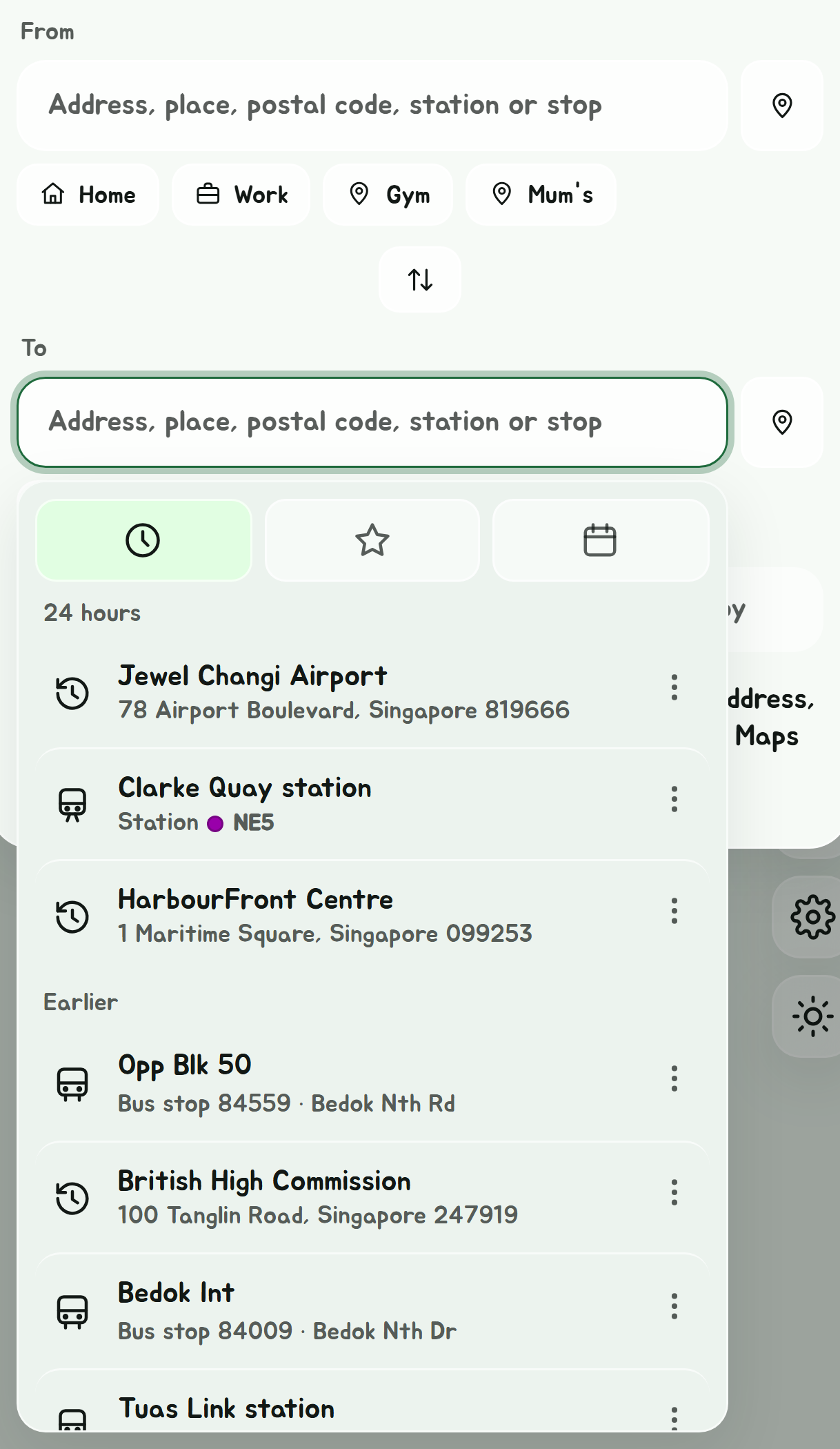
Tap one to use it again. Typing switches the box back to its usual suggestions; emptying it brings the list back.
Where they show
Every search box shares one list, and each shows what it can use:
| Box | Shows |
|---|---|
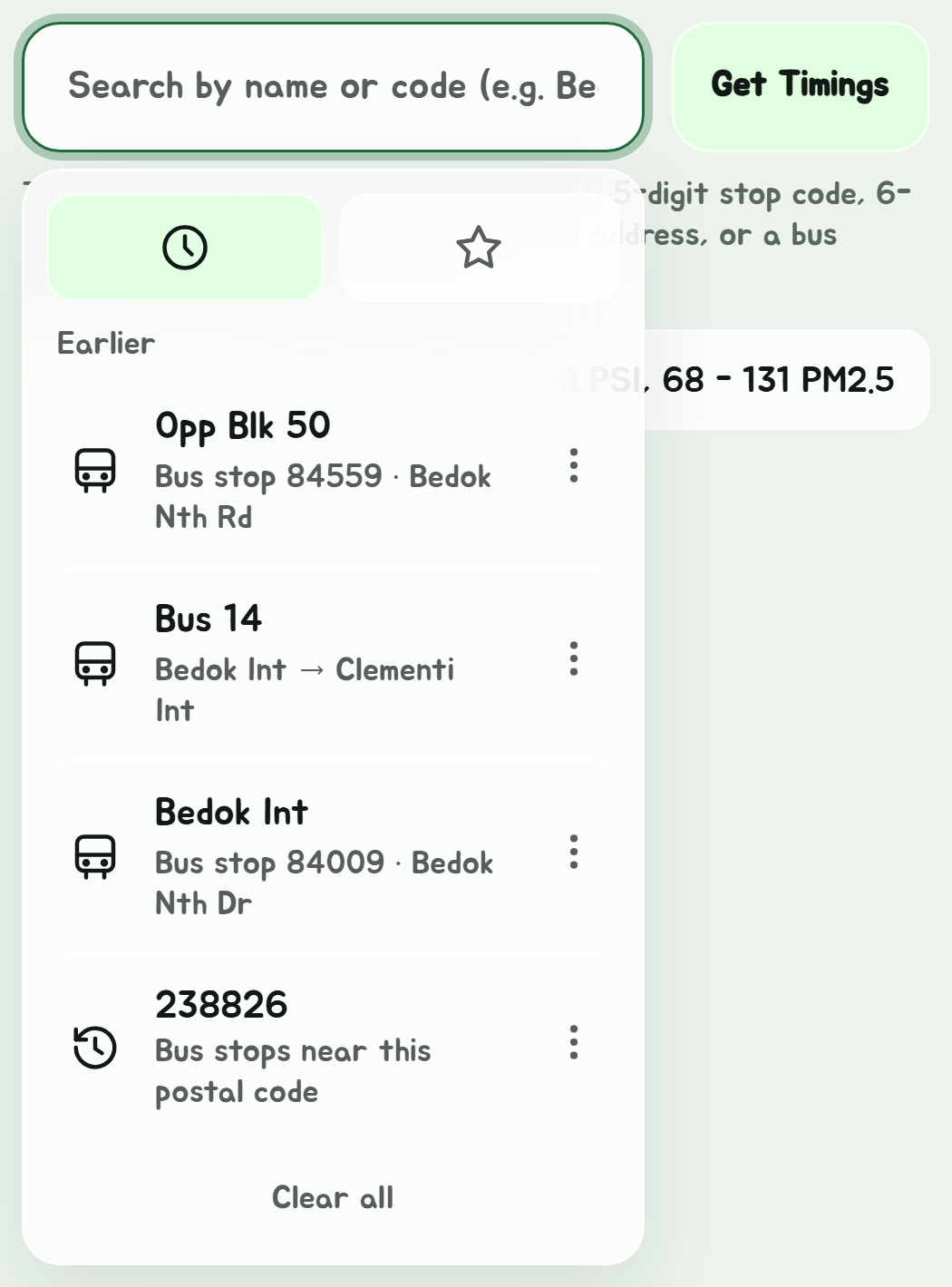
| The main search, for stops and buses | Stops, buses and postal codes |
| Navigate's From and To | Places, stations and stops |
| Navigate's Bus only Start and End | Stops and postal codes |
| Places' Where | Places, stations and stops |
So a stop you searched for in the main box is there in Navigate's To next time. A search is kept when you pick something in a box, not when you open a stop some other way, and picking Your location, a saved place or a calendar event isn't kept as one.
The tabs
| Tab | Shows |
|---|---|
| Clock | Your past searches |
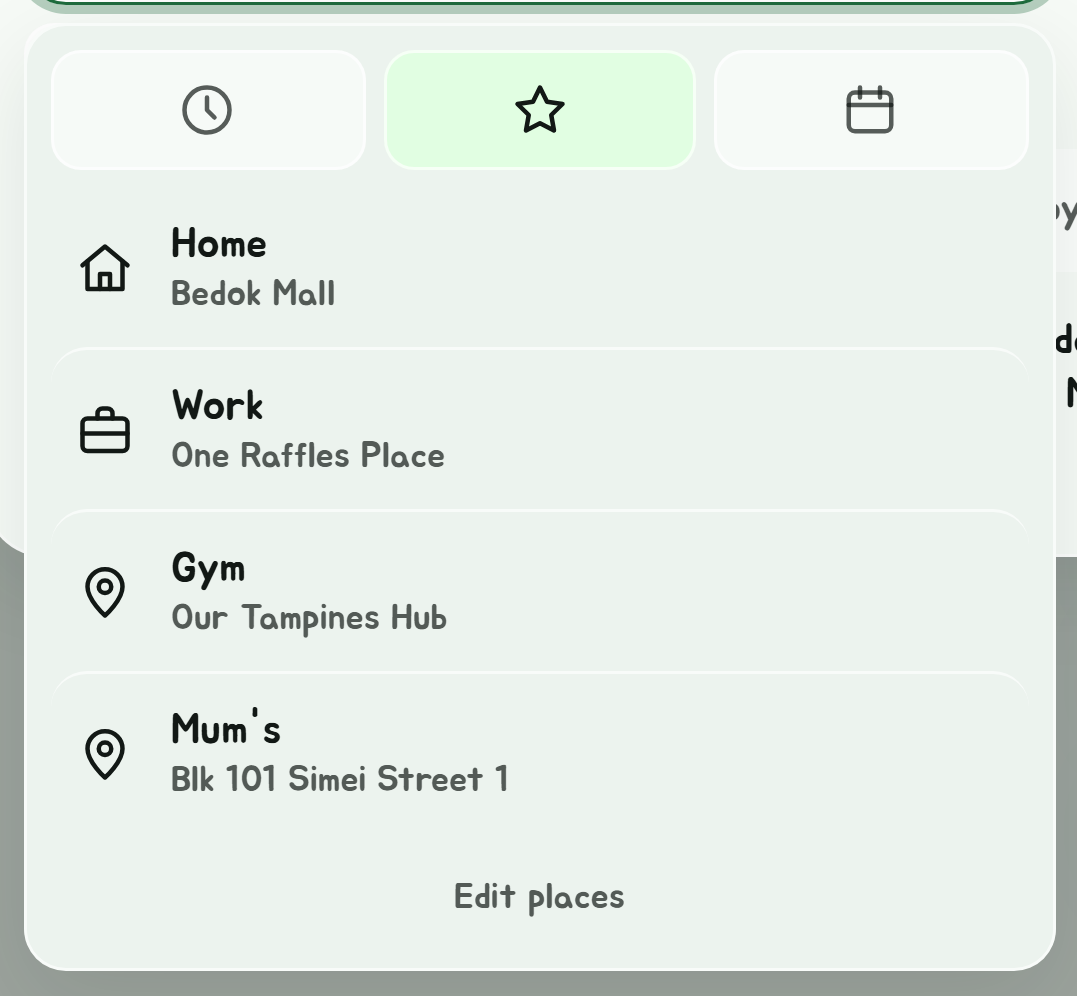
| Star | Your saved places, Home and Work first. In the main search, your favourite stops and buses instead. |
| Calendar | In Navigate only: your calendar's events with a location |
A search's menu
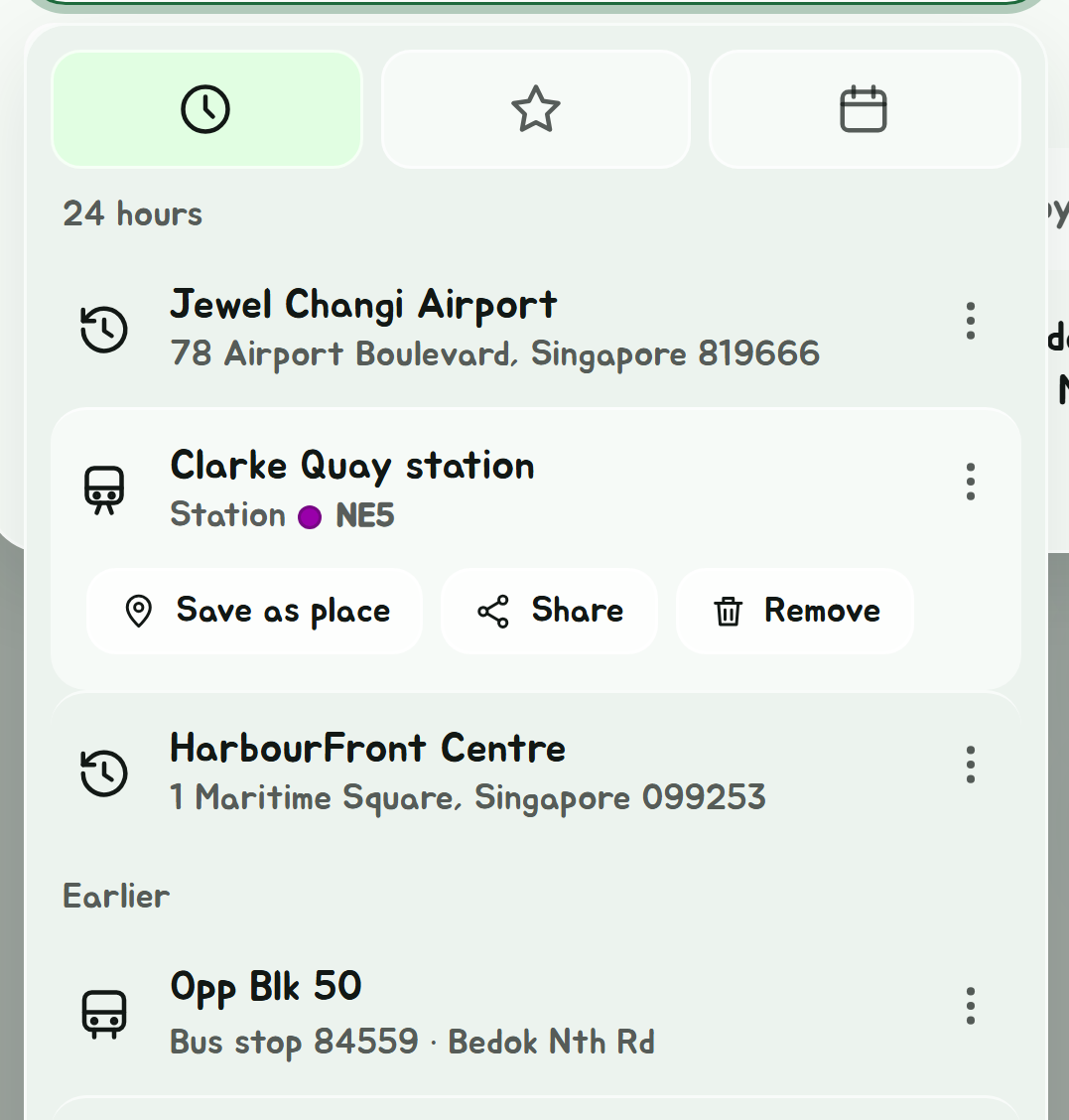
Tap the three dots beside a search:
- Save as place opens Places with it filled in, to name and save.
- Share makes a "How to get to" link to it. See Links you can share.
- Remove takes it off the list.
Clear all, at the foot of the list, empties it.
Where they're kept
Past searches stay on this device, up to the last 50. They aren't sent anywhere, but Sync can copy them to another of your devices.