
Android app: advanced
Reminders
Timings as you walk up to a stop, time to leave for an event, the offer to start a trip, your last bus and routines, with the Android app closed.
The app can tell you things with itself closed. Each is off until you turn it on, and asks for what it needs then.
Timings near a stop
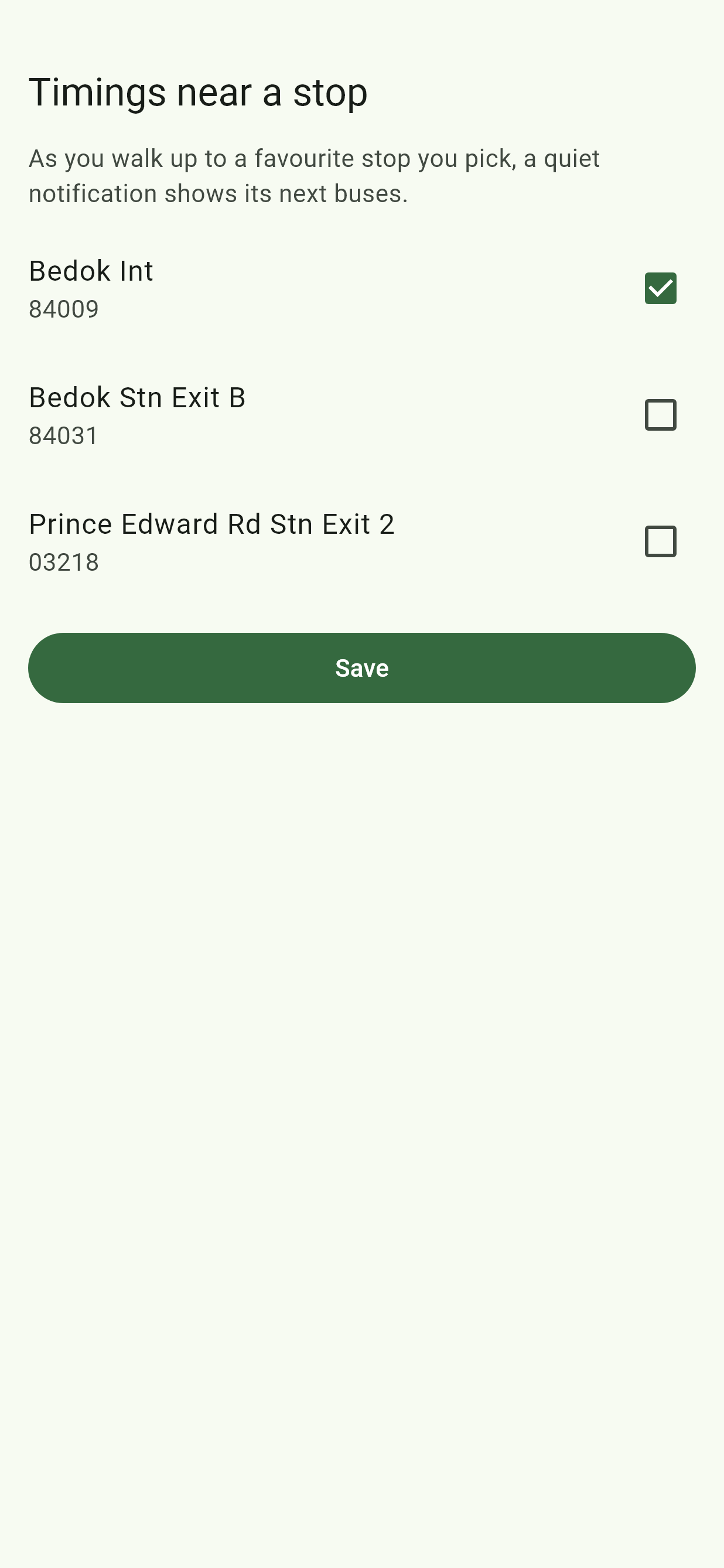
Tap Timings near a stop, the ringing bell in the Edge Tray, tick some of your favourite stops, then Save. As you walk up to one, within about 120 m, a quiet notification shows its next buses, refreshed every minute until you leave. It needs location All the time, as it's watched with the app closed. If it isn't allowed, the screen says so, with Open settings.
Timings near a stop is in the app from GitHub, not the one from Google Play.
Routines
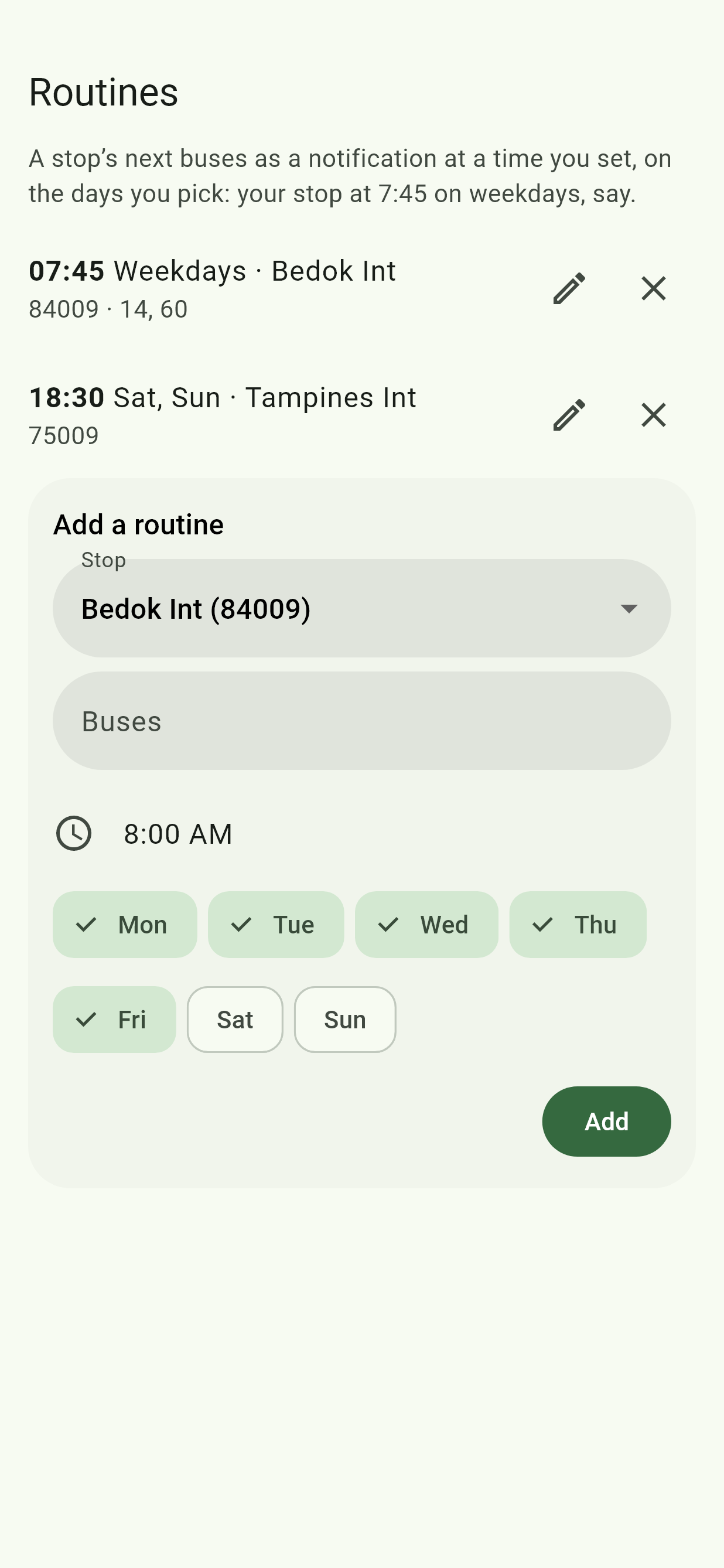
Tap Routines, the two arrows in the Edge Tray. It lists your routines, to change with the pencil or remove with the cross. Under Add a routine:
- Pick a Stop: the one you have open, or a favourite.
- Under Buses, type the ones you want, or none for all of them. means every bus starting with 22.
- Pick a time and the days, such as 7:45 on weekdays, then tap Add.
At that time, a notification shows the stop's next buses; tap it for their timings. Like the Telegram bot's routines, but on your phone.
Last bus reminders
On a stop's timings, tap the bell by a bus's last bus time. You're reminded 20 minutes before its last bus there, every day it runs. Settings, Trips and alerts, lists them, to remove. Public holidays run Sunday's times, which the reminder doesn't know about.
Time to leave
In Settings, Trips and alerts. For events in your phone's calendar with a place, a notification when it's time to set off by bus and train to get there on time, with the way to go. It plans from where you are, or, when the phone won't say with the app closed, from Home in Places. The app from Google Play never has your location with the app closed, so it plans from Home then. With no Home saved and the phone not saying where you are, there's nowhere to plan from, so no notification comes, and Settings asks you to save Home. It needs Calendar.
"On a bus?"
In Settings, Trips and alerts. When the phone notices you're riding and no trip is running, a quiet notification offers to start one, for the Get Off Alert. It can't tell a bus from a car, so it only offers, at most once every two hours. It needs Physical activity. It's in the app from GitHub, not the one from Google Play.
If they don't show
If notifications are off for the app, the screens say so: turn them on in Android's settings for the app. Either button can be turned off in Settings, Edge Tray buttons.
If they come late
In the app from Google Play, routines, last bus reminders and Time to leave come on time only if you allow Alarms & reminders for it. Without that they still come, but Android can hold them back, by up to an hour or more when the phone's saving battery. If it isn't allowed, Routines and Settings say so, with Allow.