
Android app: advanced
Calendar
Your phone's calendar, a private iCal link or an .ics file in the Android app, and the way to your events, arriving by their start.
Your calendar's events with a location, for the next two weeks, show in Navigate. Tap one for the way there, arriving by its start.
Your phone's calendar
The app can read your phone's own calendar: every calendar on the phone, Google, Outlook, Samsung and the rest, with nothing to paste.
- In Navigate, tap From or To, then the calendar tab, then Use this phone's calendar. Or in Settings, You, tap Calendar settings, then Use this phone's calendar.
- The first time, tap Allow calendar access, then Allow on Android's prompt.
- Your events with a location show, and are read fresh each time you open the tab.
Nothing leaves the phone except each event's location, looked up to find the place.
Refused the prompt? Tap Allow calendar access again. After a second refusal Android stops asking, and the button opens the app's settings instead: turn on Calendar under Permissions.
Link a calendar instead
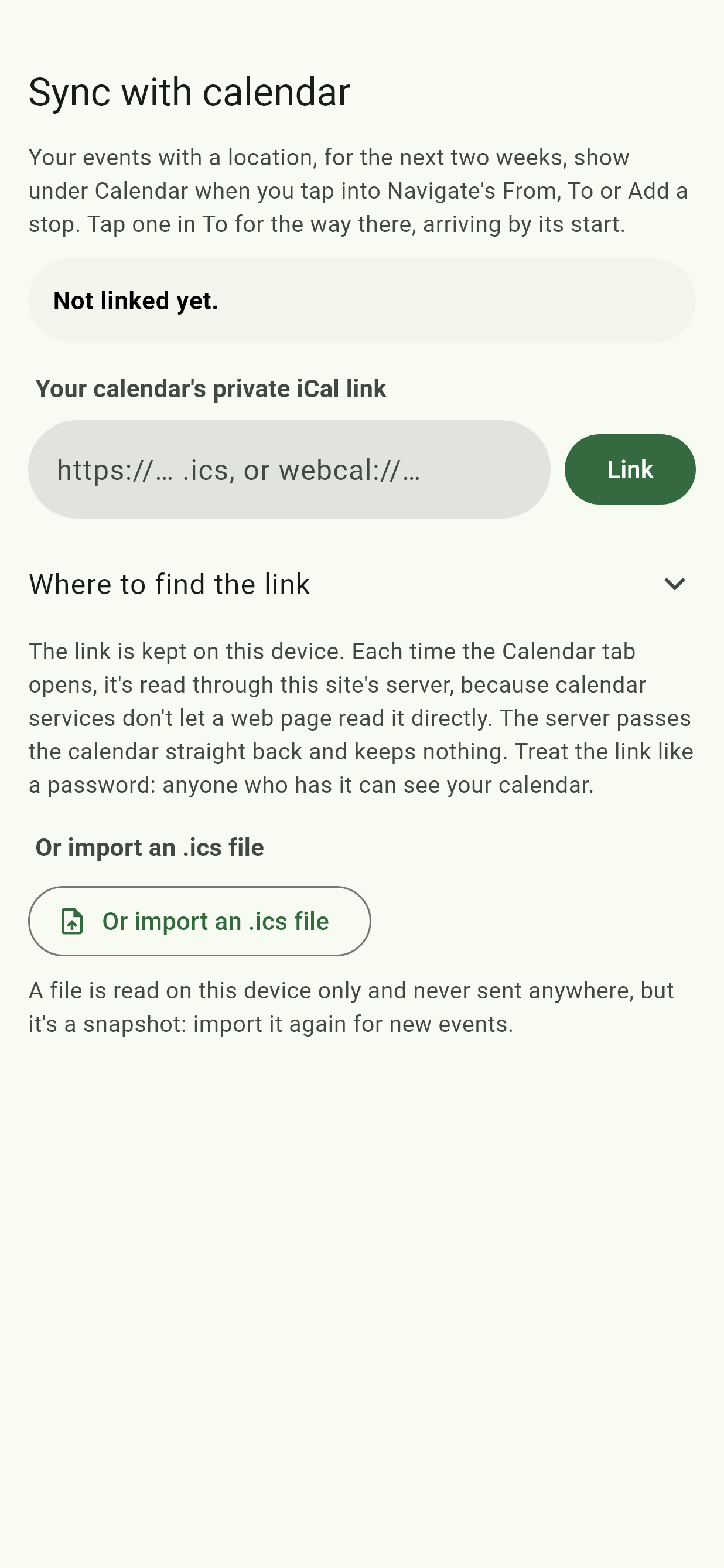
To use a calendar that isn't on your phone, link it by its private iCal link in Calendar settings: copy the link, paste it in, and tap Link.
| Calendar | Where to find the link |
|---|---|
| Google Calendar | On a computer: Settings, then your calendar under "Settings for my calendars", then Integrate calendar. Copy Secret address in iCal format. |
| Outlook | Settings, Calendar, Shared calendars. Under Publish a calendar, pick the calendar and "Can view all details", tap Publish, then copy the ICS link. |
| iCloud | In Calendar, share the calendar and turn on Public Calendar, then copy its link. Anyone with that link can see the calendar. |
Treat the link like a password: anyone who has it can see your calendar. The link is kept on your phone, and read through the site's server, which keeps nothing.
Or import a file
Or import an .ics file picks a calendar file exported from your calendar app. It's read on your phone only and never sent anywhere, but it's a snapshot: import it again for new events.
Plan the way to an event
Tap Navigate's To, then the calendar tab. Events are listed under Today, then Later. Tap one, and Navigate plans the way there from where you are, set to Arrive by the event's start. An all-day event, or one more than a week away, plans for Leave now instead.
An event stays listed until it ends, so you can still plan the way to one you're late for.
A location the app can't place says Location not found. Tap to pick it. Tap it, and pick the place: the app remembers it.
An event's menu
Tap the three dots beside an event:
- Save as place opens Places with it filled in.
- Share place makes a "How to get to" link to it.
- Hide this event takes it off the list.
Remove it
Remove calendar, in Calendar settings, stops showing your calendar and forgets the link, file or phone calendar choice on this device.
Time to leave
For a notification when it's time to set off, see Time to leave.