
Android app: advanced
Sharing and NFC stickers
Share cards in the Android app, your live ETA, Offline Sharing to a phone next to you with no internet, and writing NFC stickers.
The share card
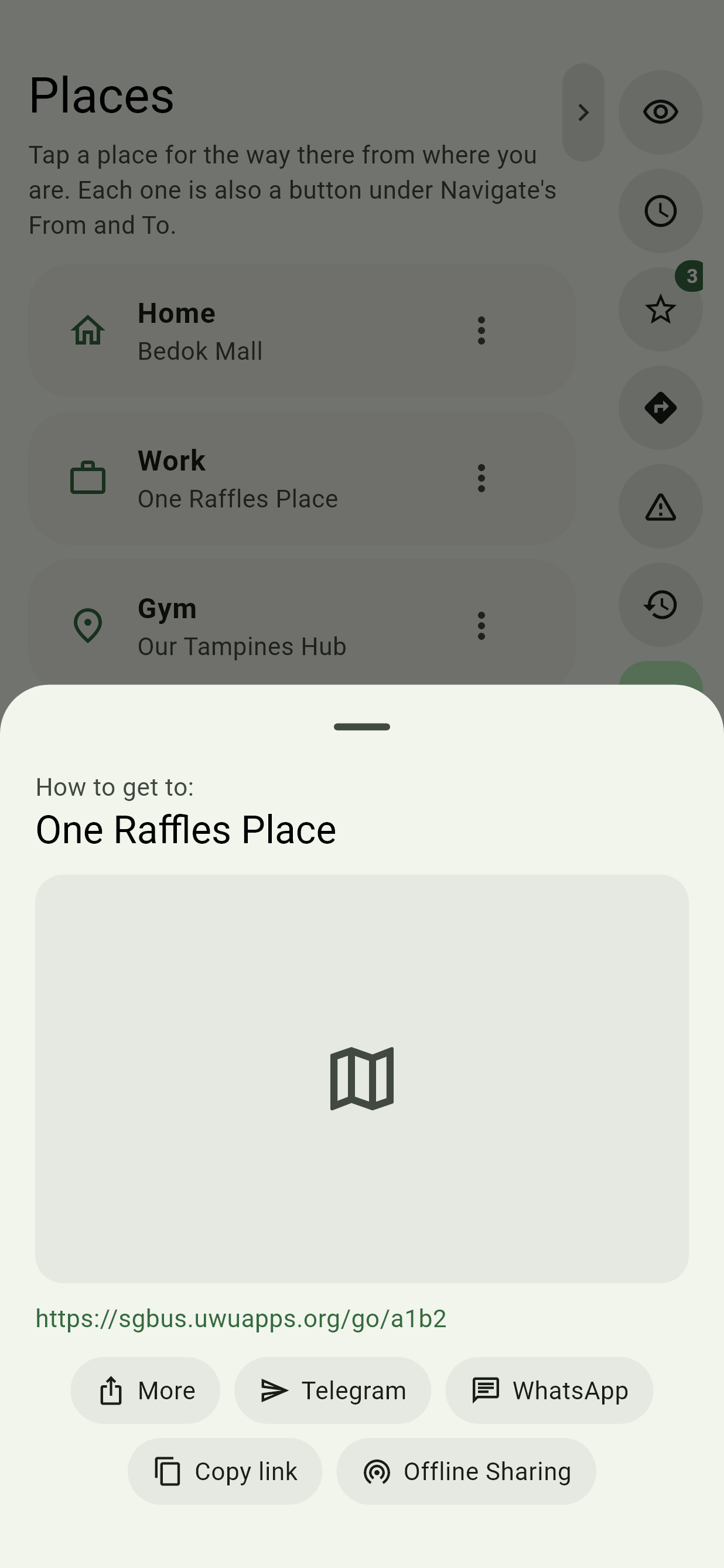
Sharing a place, directions, your ETA or a feat opens a card with a map and a short link. More opens Android's own share sheet. Telegram and WhatsApp open those apps straight away, ready to pick a chat. Copy link copies it, and Offline Sharing hands it to a phone next to you.
Offline, there's no short link to send, but Offline Sharing still works.
Share my ETA
On a trip, Share my ETA in Navigate, or the share button on the trip's screen, gives a link to your live progress: "Sam will arrive in 12 min", around what time, which bus or train you're on and how many stops are left. The name is the one in Settings, if you set one.
Whoever opens it sees it update by itself. It keeps going with the screen off. It ends when you arrive or end the trip, or when you tap Stop sharing my ETA on its card.
Open someone else's, and Live progress shows when they'll arrive and their stops ahead, with Live map for their dot moving along their trip, Follow in Telegram for their trip as a live card in the Telegram bot until they arrive, and Directions there to plan your own way there.
Offline Sharing
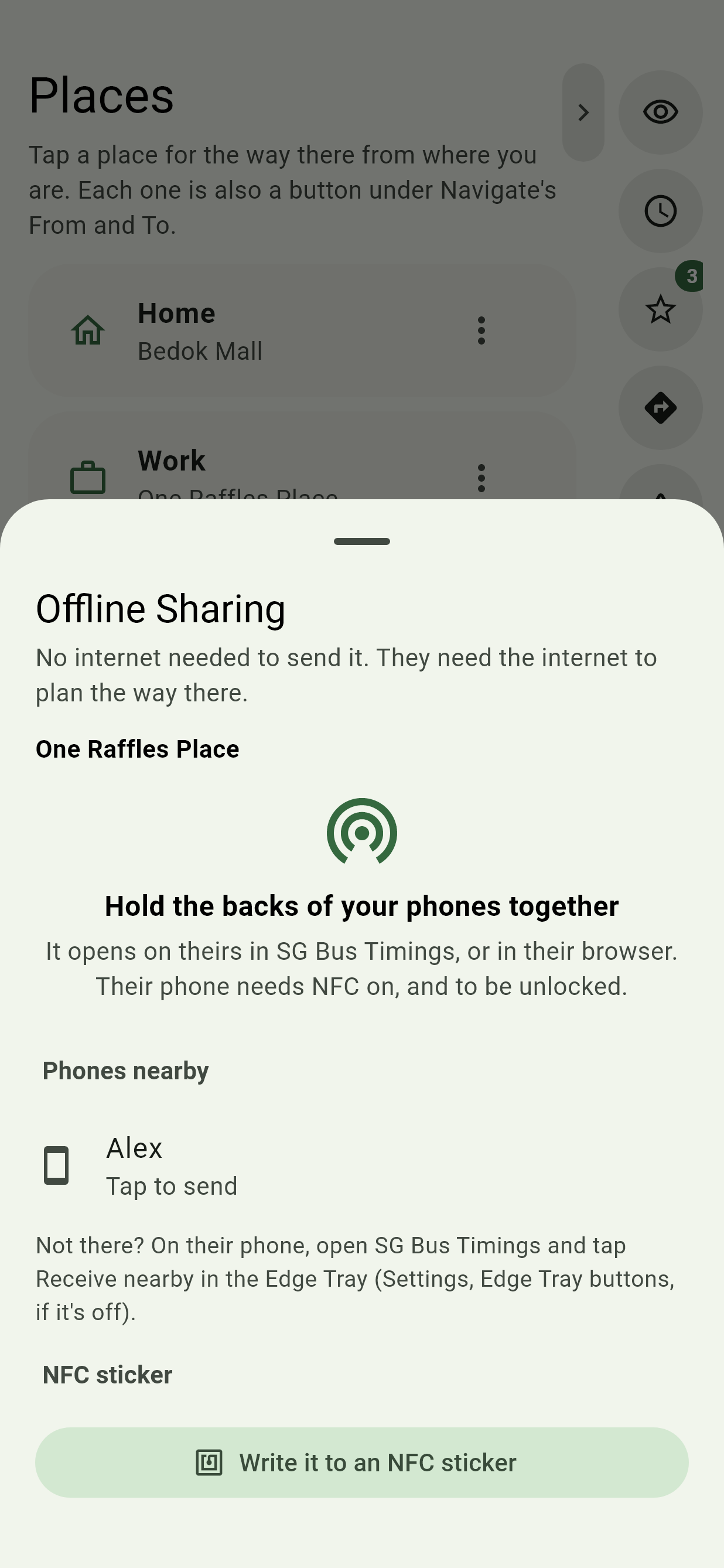
Offline Sharing on a share card hands a place, directions or your live ETA to a phone next to you, with no internet on either phone. Tap it, then either:
- Hold the backs of your phones together. Their phone needs NFC on and to be unlocked, but nothing open: it opens in SG Bus Timings if they have it, or in their browser if not. Hold another phone to yours to send it again.
- Send it to a phone nearby, without touching, over Bluetooth. On their phone, they open SG Bus Timings and tap Receive nearby in the Edge Tray. Their phone shows up on yours by the name in their Settings, or its model; tap it to send. The first time, both phones ask to use Nearby devices.
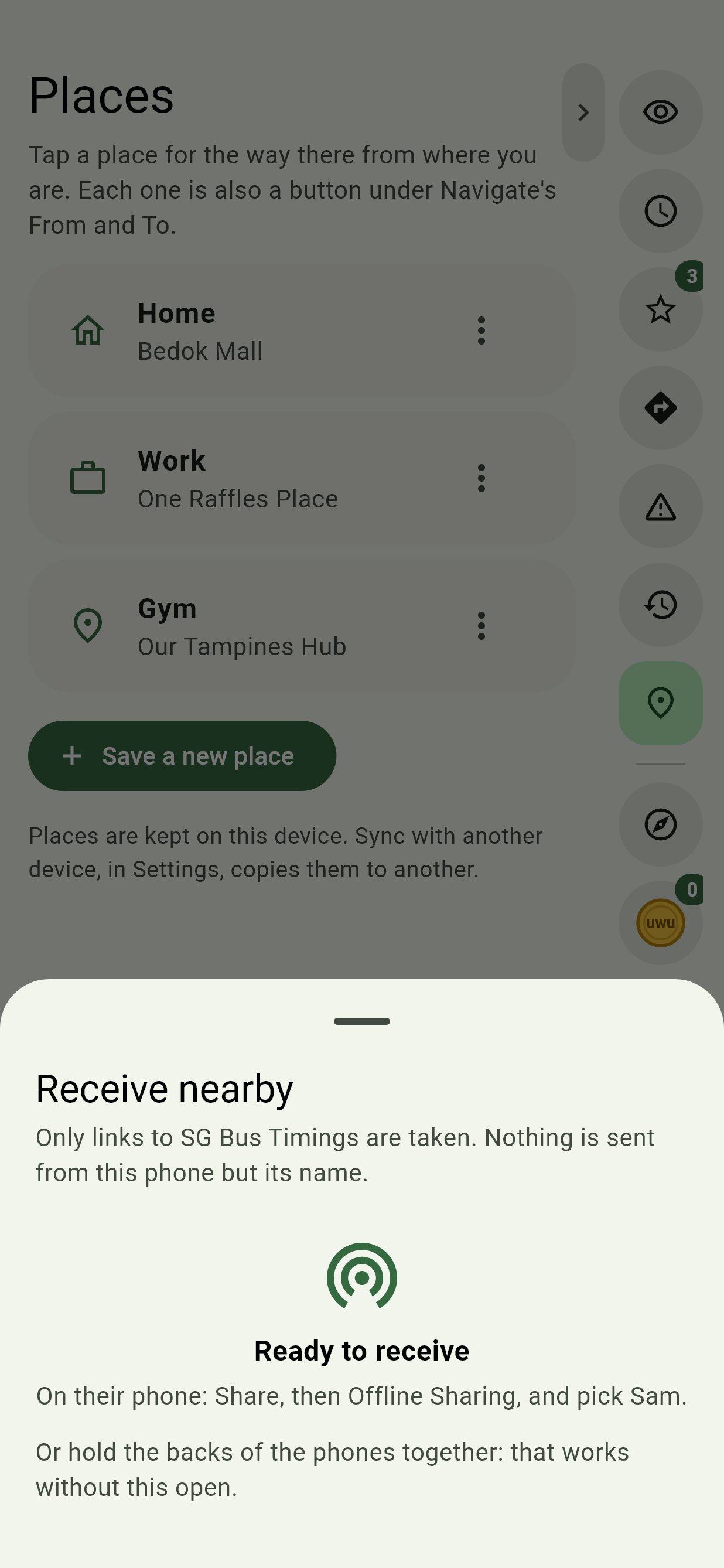
Directions go across with both ends and the time, so they get every way there. Planning the way, and following a live ETA, still needs the internet on their phone once it's open. Only links to SG Bus Timings are taken.
The phone sharing needs NFC, for a tap, or Google Play services, to send without touching. On a phone with neither, the button isn't there.
NFC stickers
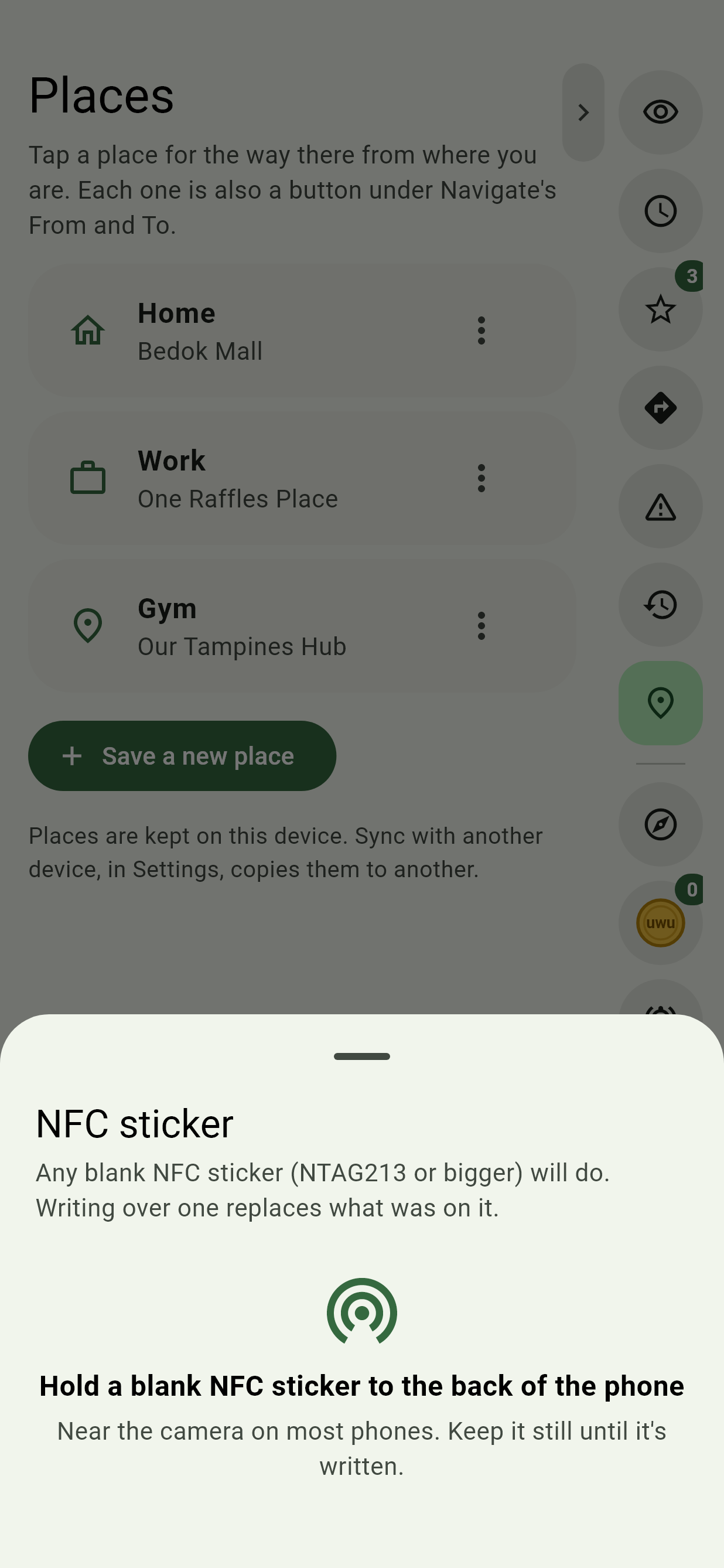
Write a stop, a place or a way home onto a blank NFC sticker (an NTAG213 or bigger): stick it by the door, and a tap of any phone opens it, in SG Bus Timings or the browser. A stop's timings have NFC sticker; for a place or directions, use Write it to an NFC sticker in Offline Sharing. Hold the sticker to the back of the phone until it says it's written. Writing over one replaces what was on it.
Links
A shared link opens in the app where it's installed, and on the website where it isn't. See Links you can share.