
Android app: basics
Your main screen
Glance and your next bus, the pages in the Edge Tray, your custom home, going back, and the tours.
The app opens on Glance: the next bus in big letters, and your stops' buses under it. Everything else is a page in the Edge Tray, the column of round buttons down the side.
Simple (Lite), Normal or Advanced Super App
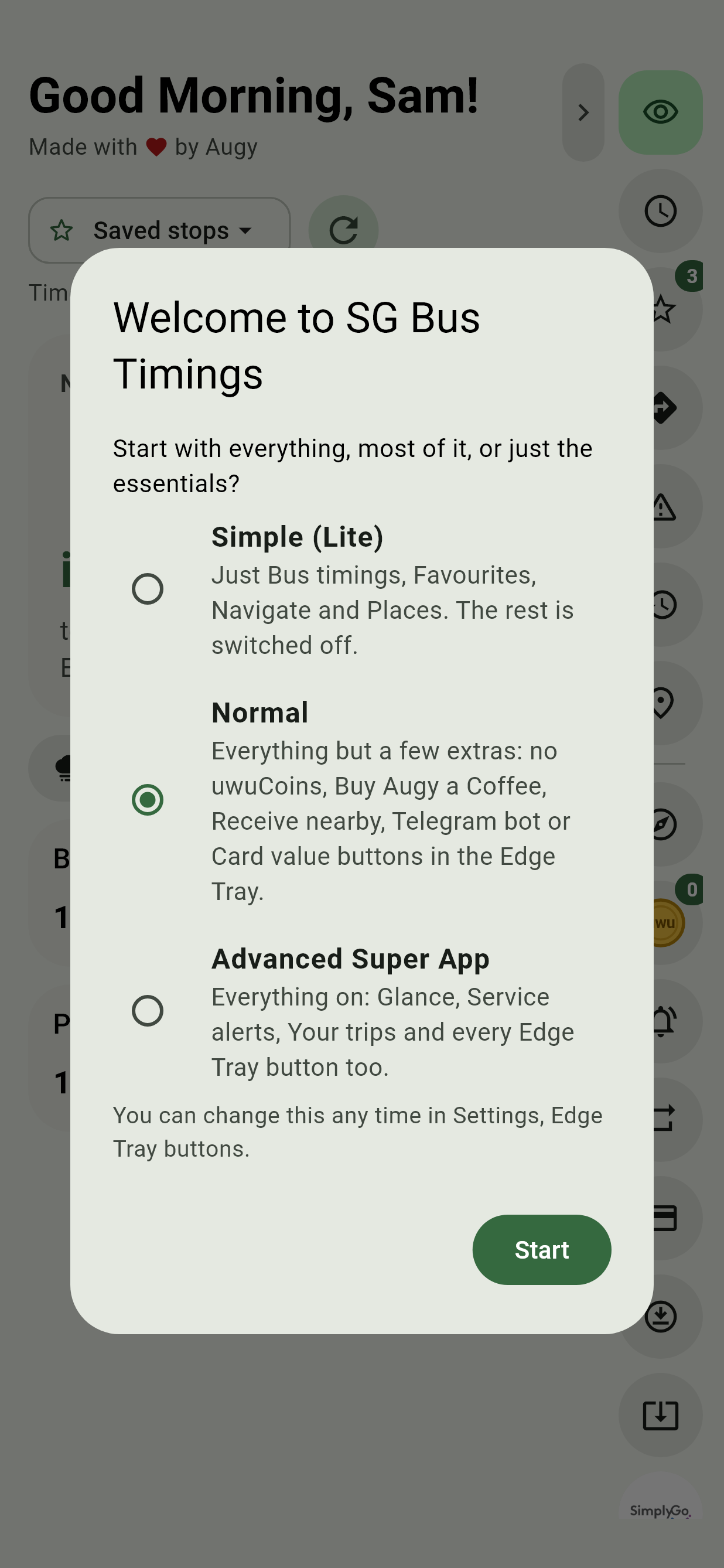
The first time the app opens, it asks how much to start with:
- Simple (Lite): just Bus timings, Favourites, Navigate and Places. The rest is switched off.
- Normal: everything but a few extras. The Edge Tray has no uwuCoins, Buy Augy a Coffee, Receive nearby, Telegram bot or Card value buttons.
- Advanced Super App: everything on: Glance, Service alerts, Your trips and every Edge Tray button. Putting the window away without Start is the same as picking this.
Change any of it later in Settings, Pages and Edge Tray, Edge Tray buttons.
Glance
Glance, the eye at the top of the Edge Tray, is the page to read on the way out:
- Next bus, in big letters: its number, how soon it comes (Arriving under a minute), where it's going, and the stop. A favourite bus comes first whenever one is coming.
- Today's weather and air, a tap away: see Weather and air quality.
- Your stops, each a card with one line per bus: its number, where it's going, and its next three times in minutes. Arr is under a minute away.
Once you have favourite buses, the cards show only those, so a busy interchange is a line or two. Tap the big bus, a line or a stop's name for its full timings. The times count down by themselves and fetch again every 30 seconds. The round arrows beside the chip fetch them at once.
Pick whose buses
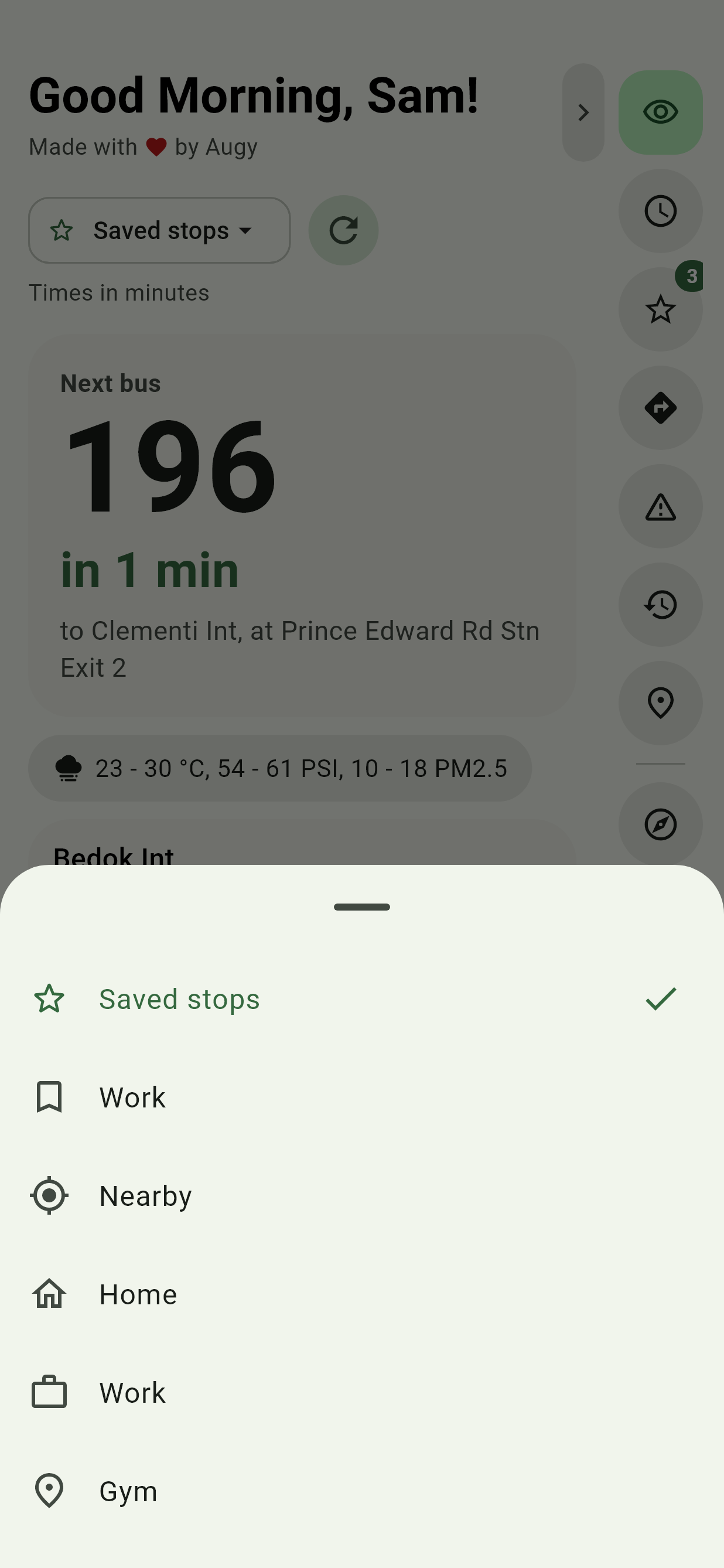
The chip above the big bus picks the stops:
| Pick | Shows |
|---|---|
| Saved stops | Your favourite stops. |
| A list of yours | The stops in the list, with just the list's buses. |
| Nearby | The stops nearest you, each with how long the walk is. Until the app may use your location, it offers Use my location. |
| Home, Work and your other places | The stops near that place. |
On Nearby, the big bus is the next one you'd make if you set off now, and it says when to leave: Leave in 3 min for, or Leave now for.
Glance and Favourites stay in step: pick a list in one and the other opens on it.
The Edge Tray
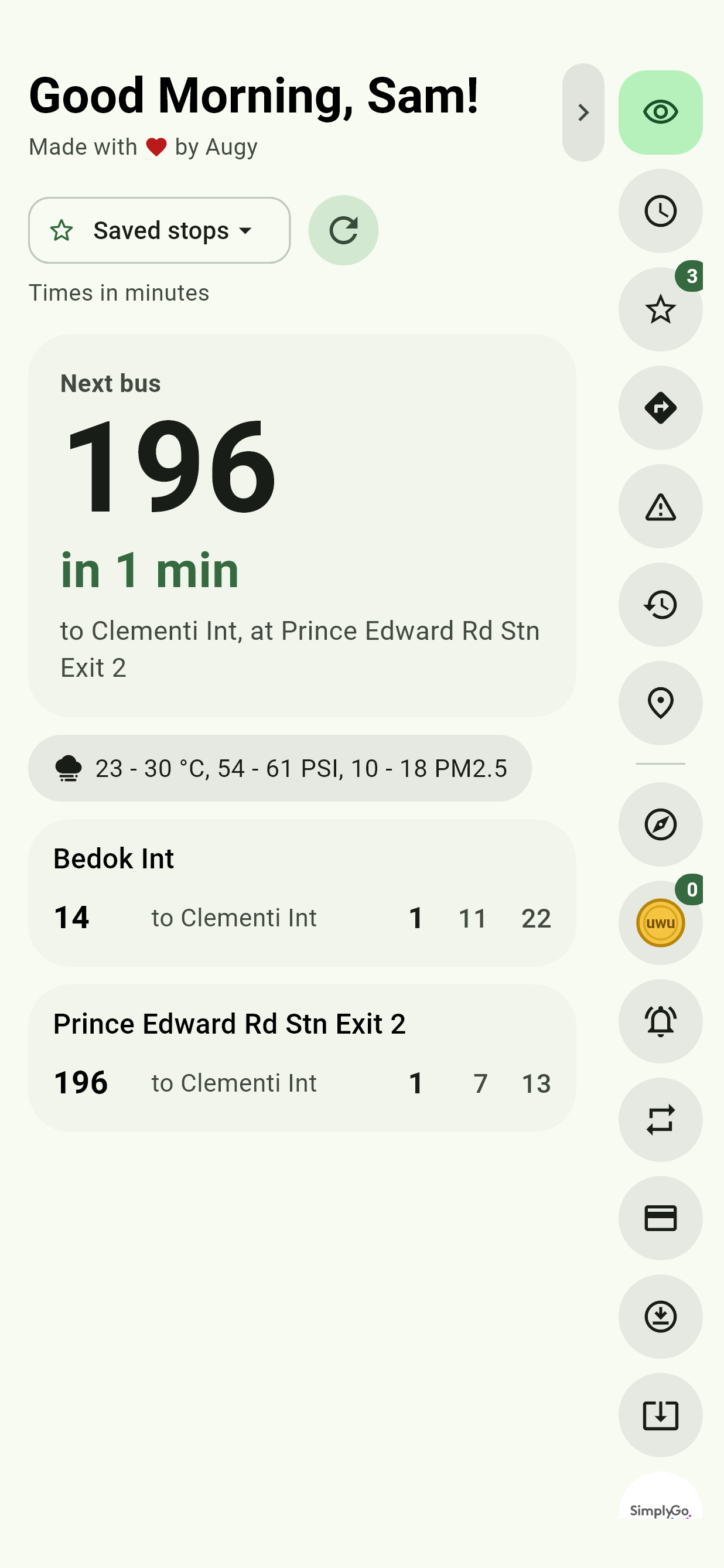
Each page has a button at the top of the tray, over a line:
- Glance: the next bus, the weather and your stops' buses
- Bus timings: the search box and the stops near you
- Favourites
- Navigate, with its Bus and train and Bus only tabs
- Service alerts
- Your trips
- Places
Tap a button to switch to its page; each page keeps its place when you come back to it. Under the line come the extras: Explorer, uwuCoins with your balance, Timings near a stop, Routines, Card value, Receive nearby, Check for app updates, SimplyGo, Telegram bot, Buy Augy a Coffee and Guide, then Settings and Theme at the foot. The tray scrolls when they don't all fit. Favourites shows how many stops you've starred.
Press and hold a button to see what it does. The tab beside the tray tucks it away at the edge, leaving the whole width to the page. Its buttons unroll one after another as it comes back.
Move the tray to the left, or turn off the buttons you don't use, in Settings, Pages and Edge Tray. Each extra can be turned off, and so can the Glance, Service alerts and Your trips pages.
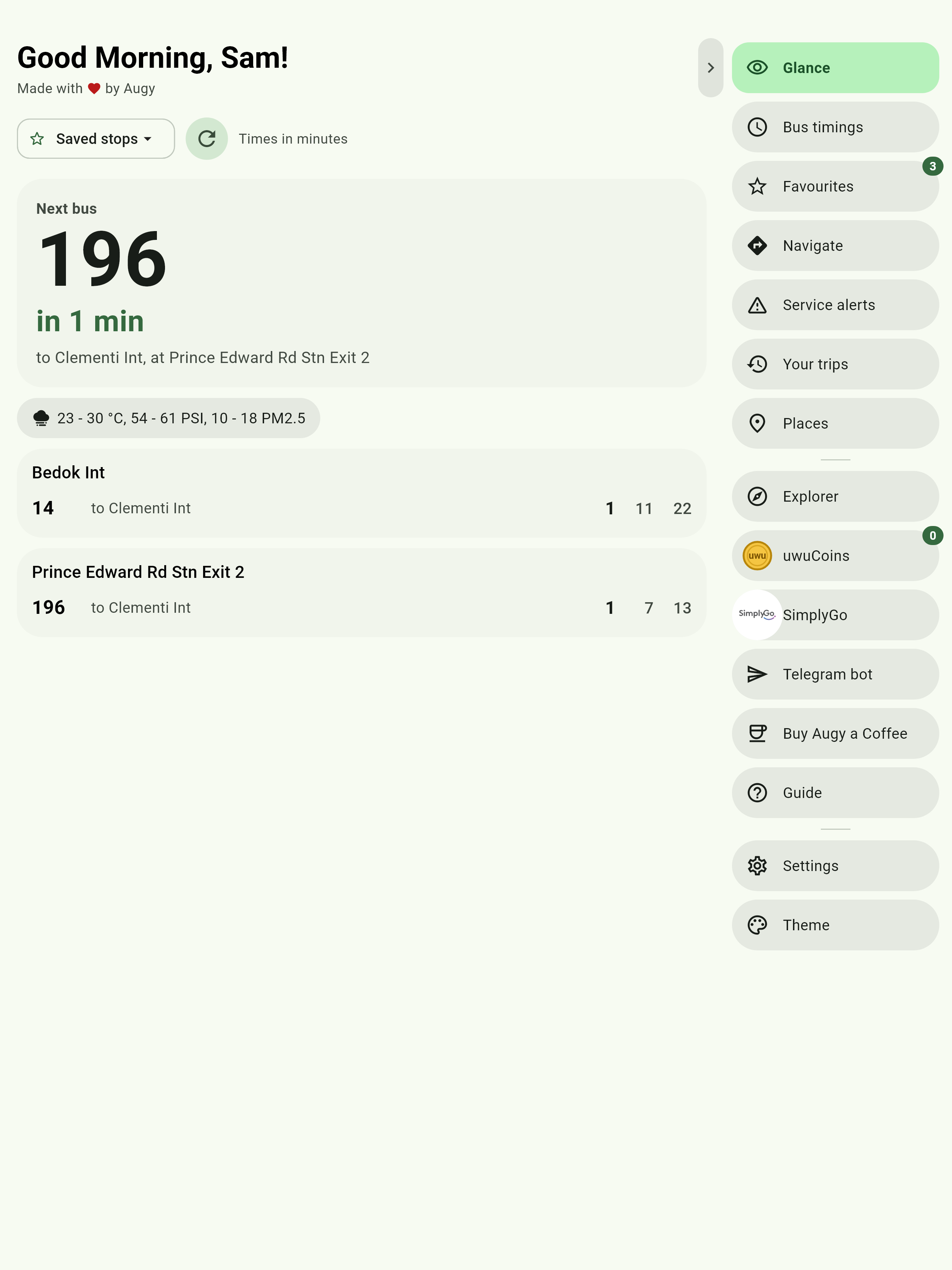
On a wider screen, such as a tablet, each button says what it is beside its icon.
Going back
Your phone's Back closes whatever's open: a sheet, then a screen such as a stop's timings. On a page, it goes back to your home page. On your home page it says Press back again to exit, and a second press within two seconds leaves the app, while a trip carries on.
A stop's timings opened from a list have a button at the top that goes back to it, such as Back to route or Back to Navigate. See Coming from a list.
Custom home
In Settings, Pages and Edge Tray, Custom home picks the page the app opens on, first in the Edge Tray: Glance to begin with, or any other. A link to a stop, a bus or a journey still opens that. If your home page is turned off, the app opens on Bus timings.
The tours
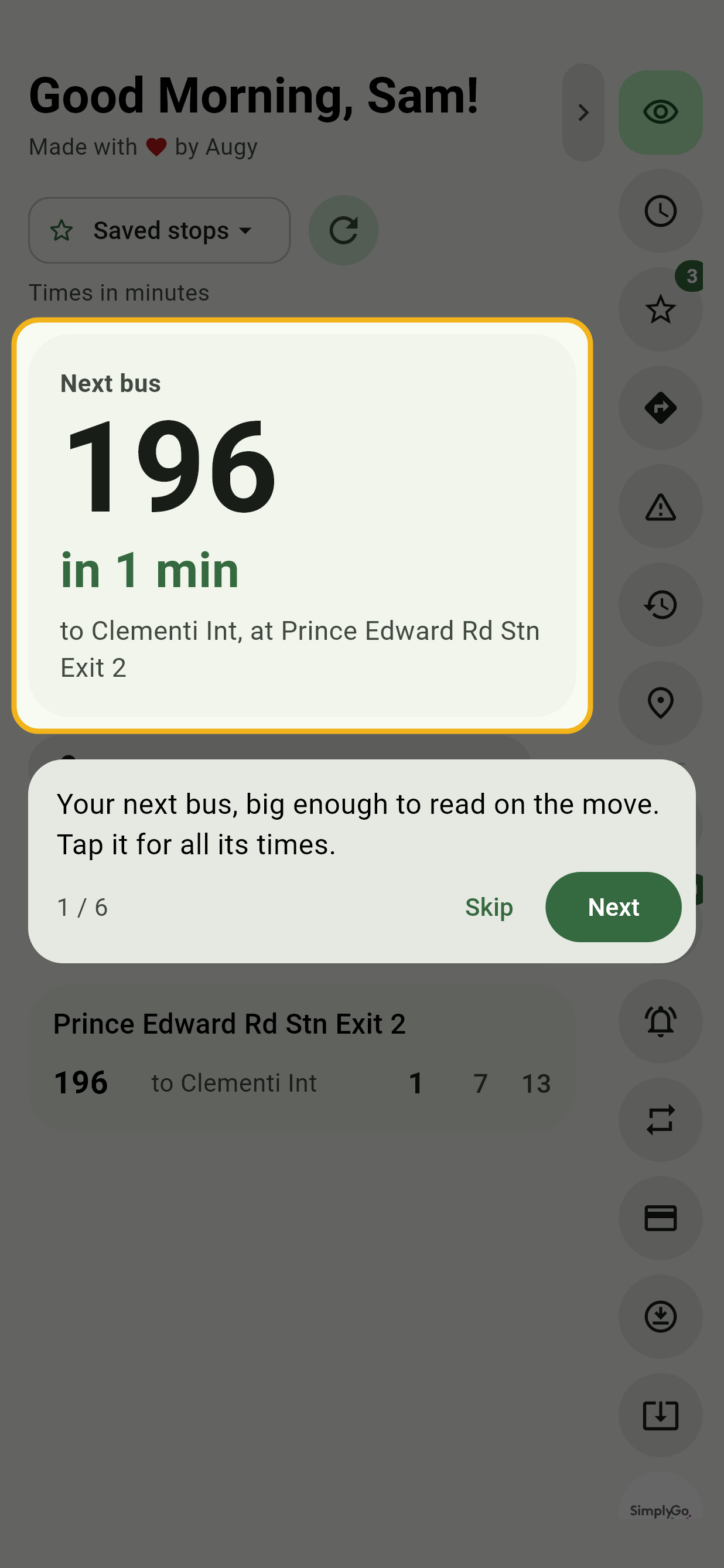
The first time the app opens, a short tour shows the basics: a spotlight on one thing at a time, with a line saying what it does. Next moves on, and Skip ends it. Every other page has its own, the first time you open it, and so do Explorer and the sgbus terminal. A tour leaves out what isn't on screen yet.
To see any of them again, open Settings, Help and extras, Show me around.
Your name and the greeting
The greeting on Glance and Bus timings follows the time of day, with your name if you've set one, and wishes you a happy birthday on the day. Set both in Settings.