
Android app: advanced
Service alerts
Train disruptions, traffic incidents and the newsfeed in the Android app, as notifications even with the app closed.
Service alerts cover what throws a bus journey off: trains, whose disruptions send crowds onto buses and bring in free bridging buses, the roads the buses run on, and the changes LTA and the operators announce ahead of time.
See what's happening now
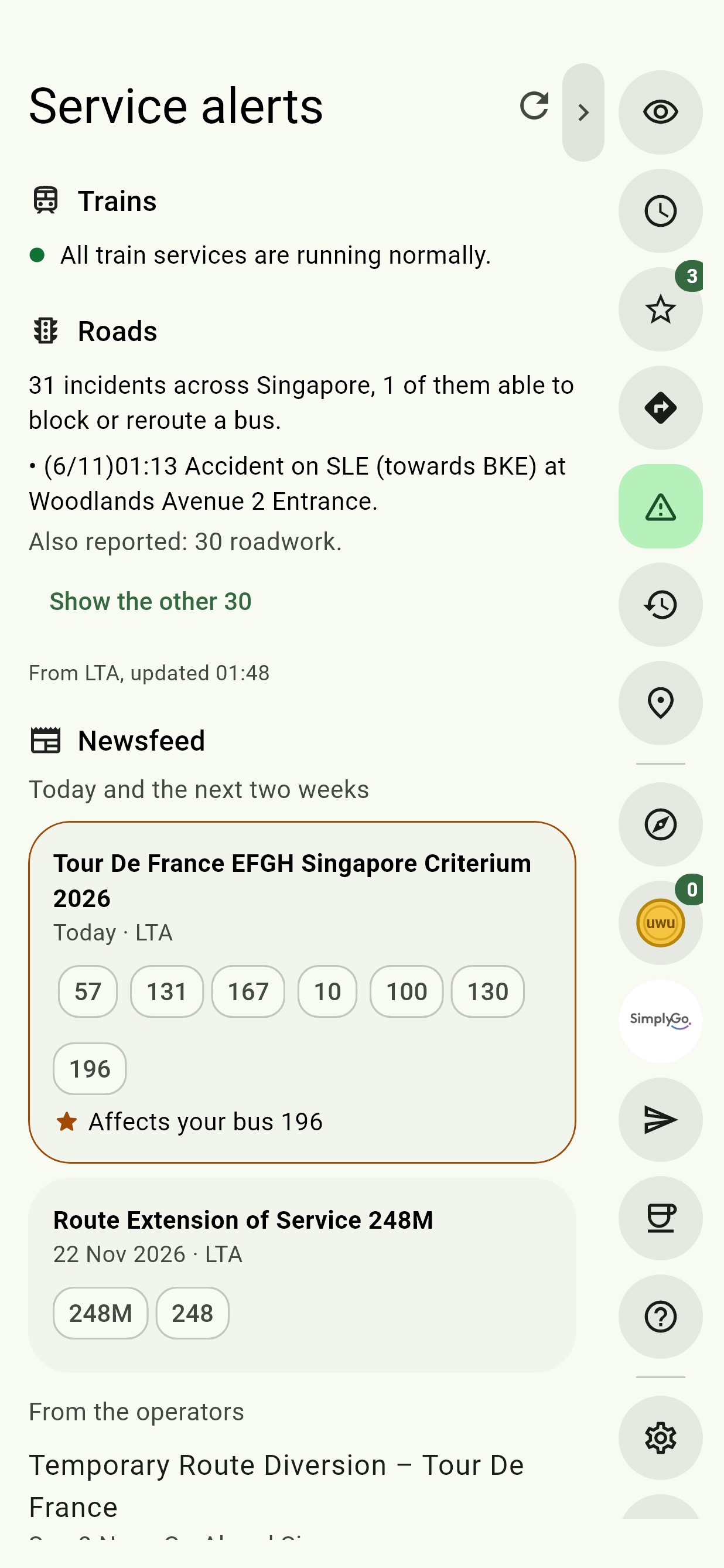
Service alerts, the warning triangle in the Edge Tray, has three parts:
- Trains says every train service is running normally, or, for each line with a problem, whether it's disrupted or delayed, in which direction, the stations affected, and where free buses and shuttles are running.
- Roads counts the traffic incidents LTA reports across Singapore. Those that can block or reroute a bus are listed in full. The rest are counted by type; Show the other lists them too.
- Newsfeed: see The newsfeed.
The round arrow at the top fetches the latest. With no connection, the page leaves the Edge Tray.
The disruptions bar
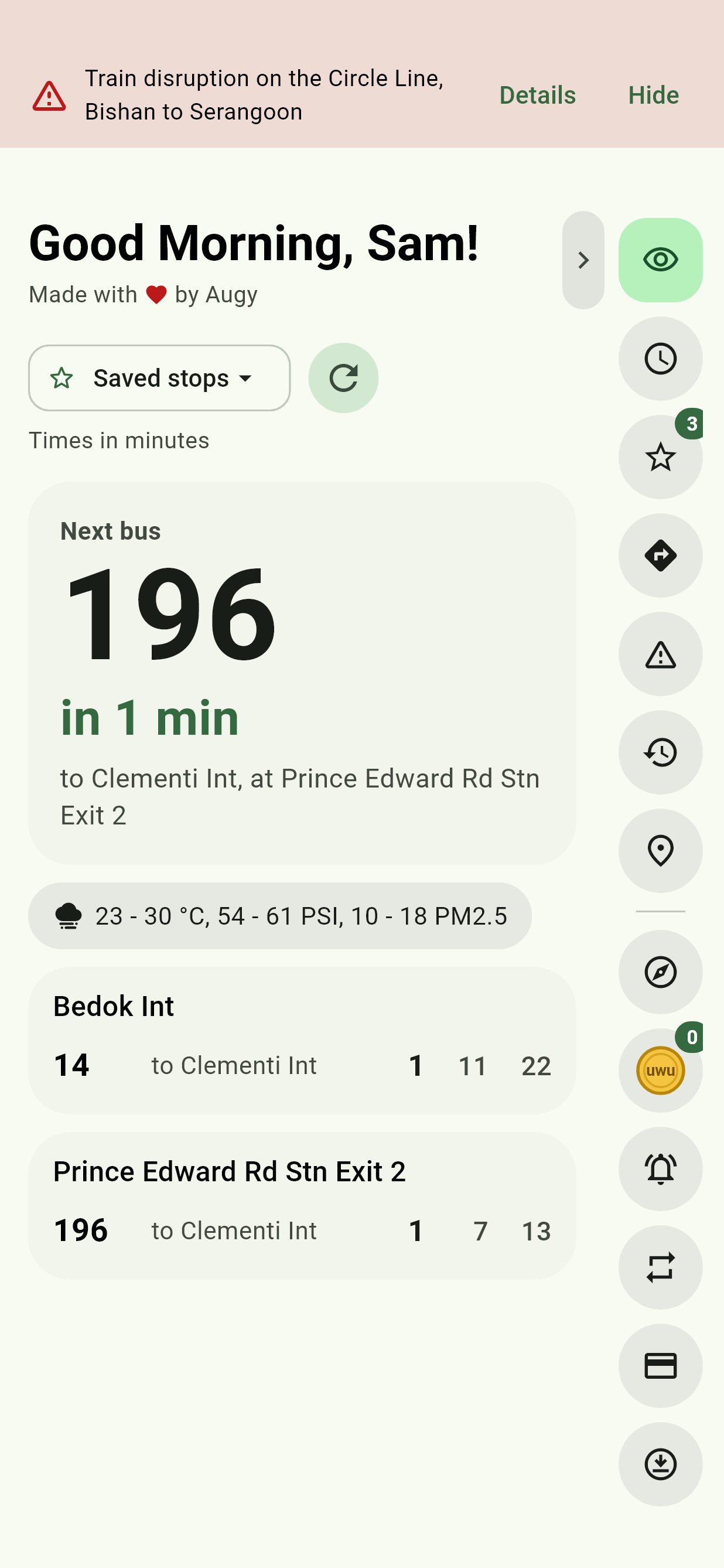
While an MRT or LRT line is disrupted or delayed, a red bar along the top of the app says so. Details opens this page, and Hide puts the bar away until the disruption changes. The app checks every two minutes while it's open. Traffic incidents don't bring the bar up.
The newsfeed
What LTA and the bus and train operators announce ahead of time: roads closed for a run and the stops buses skip, night closures, new services and route changes.
Today and the next two weeks lists LTA's notices that are on now or coming up, each with when it is, the buses it names, and a link to the notice. One that names one of your favourite stops or buses says so, and comes first. From the operators has their latest news.
A stop's timings say so too when buses skip it today or tomorrow.
Get notified
Under Notify me, even with the app closed, each is chosen separately, Off or one of two:
| First choice | Second choice | |
|---|---|---|
| Train service alerts (MRT and LRT) | All updates: every change to MRT and LRT services, including service notices | Disruptions only: train disruptions starting, changing or clearing |
| Traffic alerts (roads and buses) | All updates: every new traffic incident in Singapore | Disruptions only: accidents, breakdowns, road blocks and diversions |
| Newsfeed (LTA and the operators) | All news: every new notice and piece of news | Service changes only: new notices that change a bus or train service |
The first time, Android asks to allow notifications. The note under the choices says what you'll be notified of.
Traffic All updates is busy: expect many notifications. Disruptions only is the quieter choice for most people.
Tapping a notification opens this page. It needs Google Play services, as most phones have.
New versions of the app
New versions of the app tells you the moment a new version is out. It's off until you turn it on. See Hear about new versions.
The app's notifications
Android's settings for the app list every kind of notification, and each can be turned off on its own: Service alerts, Get Off Alert, Get ready to board, Trip in progress, the reminders (Near a stop, Last bus, Time to leave, On a bus? and Get Off Alert, earphones only) and New versions.
If the app says notifications are off, turn them on in Android's settings for the app, then pick again.
Also in Telegram
The Telegram bot has the same choices, with .