
Web app: basics
The command line on Linux
sgbus, SG Bus Timings in a Linux terminal: timings, search, routes, Navigate, favourites, routines, service alerts and the weather, on a desktop, a server or a Raspberry Pi.
sgbus is SG Bus Timings in a terminal, for Linux: everything the web app and the Telegram bot do that doesn't need a screen. It works on a desktop, over SSH on a server, or on a Raspberry Pi, and finds the same journeys as the web app, as it runs the same route planner and search.
Install it
It needs Node.js 18 or newer. Debian 12 and later and Ubuntu 24.04 and later have it; on Ubuntu 22.04, install Node.js 20 from NodeSource first.
Debian, Ubuntu, Mint, Raspberry Pi OS: download from the latest release, then:
sudo apt install ./sg-bus-timings-cli-2.4.8-all.debOr add the app's apt repository, so brings each new version:
sudo install -d -m 0755 /etc/apt/keyrings
curl -fsSL https://augy-studios.github.io/sgbus-timings/sgbus-timings.gpg | sudo tee /etc/apt/keyrings/sgbus-timings.gpg > /dev/null
echo "deb [signed-by=/etc/apt/keyrings/sgbus-timings.gpg] https://augy-studios.github.io/sgbus-timings stable main" | sudo tee /etc/apt/sources.list.d/sgbus-timings.list
sudo apt update
sudo apt install sgbus-timings-cliAny other Linux, or without : it's one file.
mkdir -p ~/.local/bin
curl -Lo ~/.local/bin/sgbus https://github.com/augy-studios/sgbus-timings/releases/latest/download/sgbus
chmod +x ~/.local/bin/sgbuslists everything, and gets a newer version.
Its own prompt
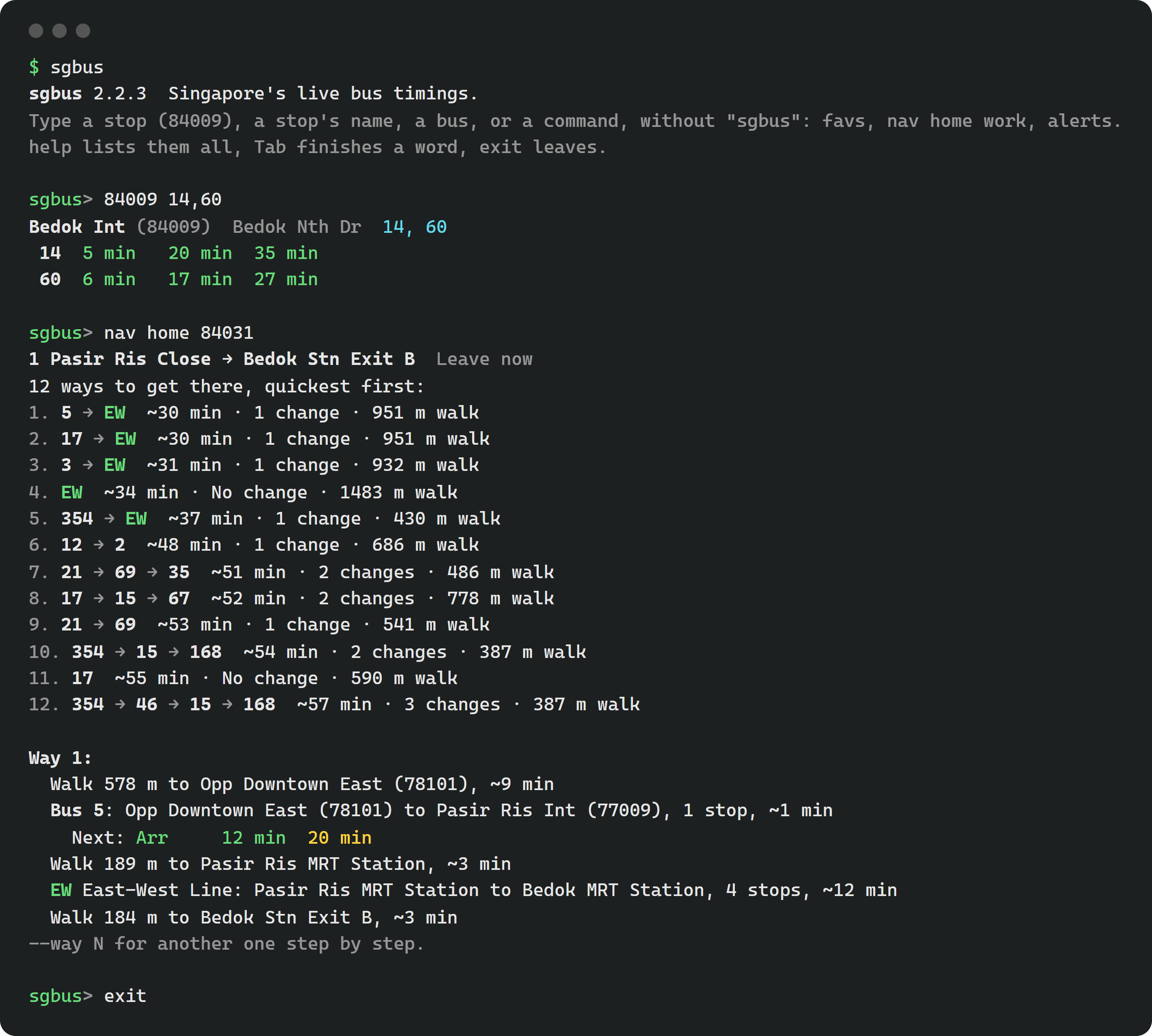
Type on its own and it opens a prompt of its own, , where each command goes without in front: , , . Up and down bring back what you typed before, even from last time, and Tab finishes a command or a place's name. Ctrl+C stops timings kept on screen with and goes back to the prompt. lists the commands, and or Ctrl+D leaves. Everything below works there as it does on its own line.
A stop's timings
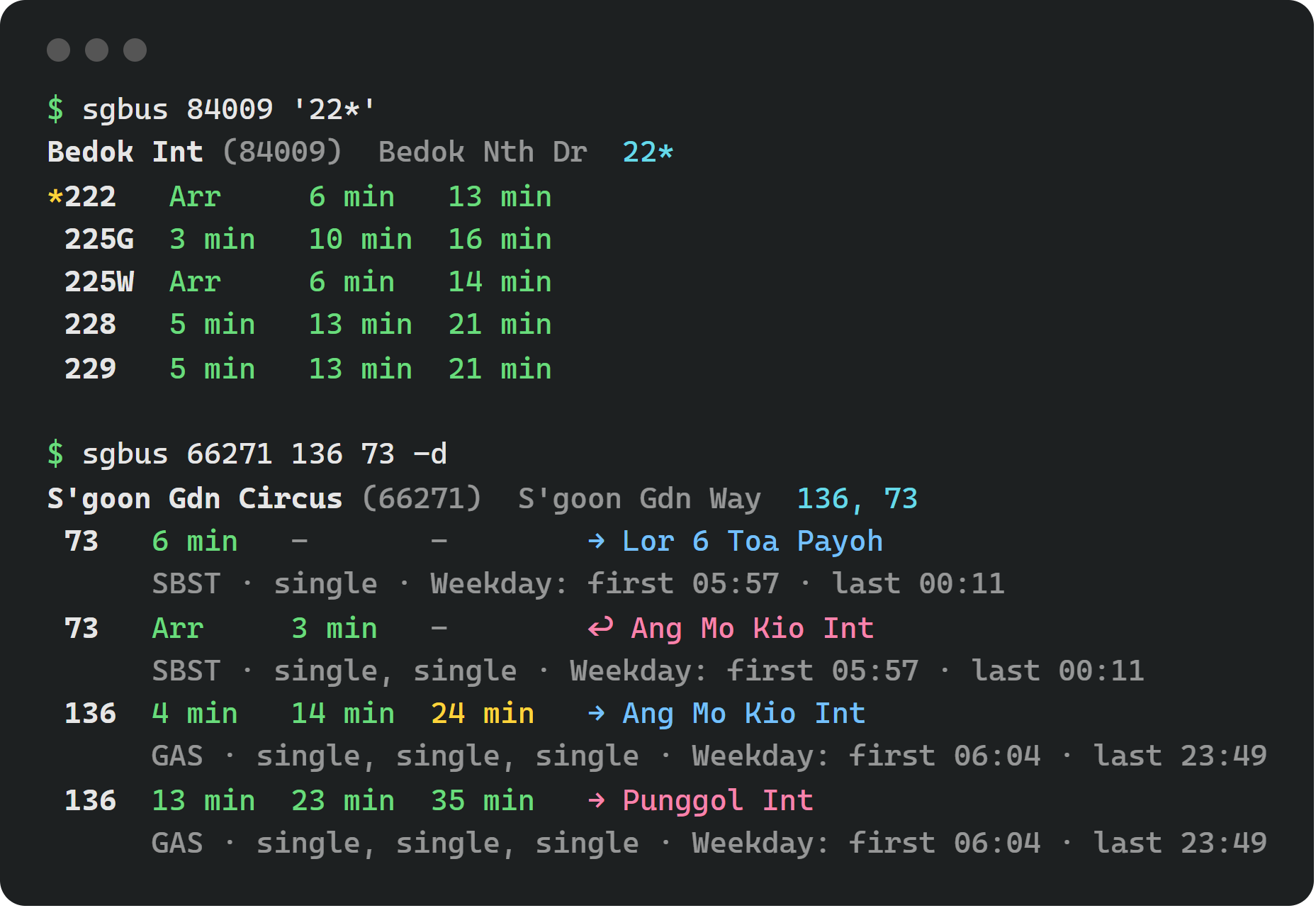
Type the stop's code: . Each bus has its next three, coloured by how full they are: green for seats, yellow for standing, red for little room. Your favourite buses are starred and come first.
- Some buses: , or for every bus starting with 22, as in the web app.
- More detail: adds each bus's operator, its decks, and its first and last bus.
- Keep them on screen: refreshes them every 30 seconds, like a departures board. for every 15. Ctrl+C stops it.
Not sure of the code? finds a stop by name or road, with LTA's short forms ( finds Bt Batok), lists the stops at a station, and the stops nearest a postal code. shows bus 22's route.
Getting somewhere
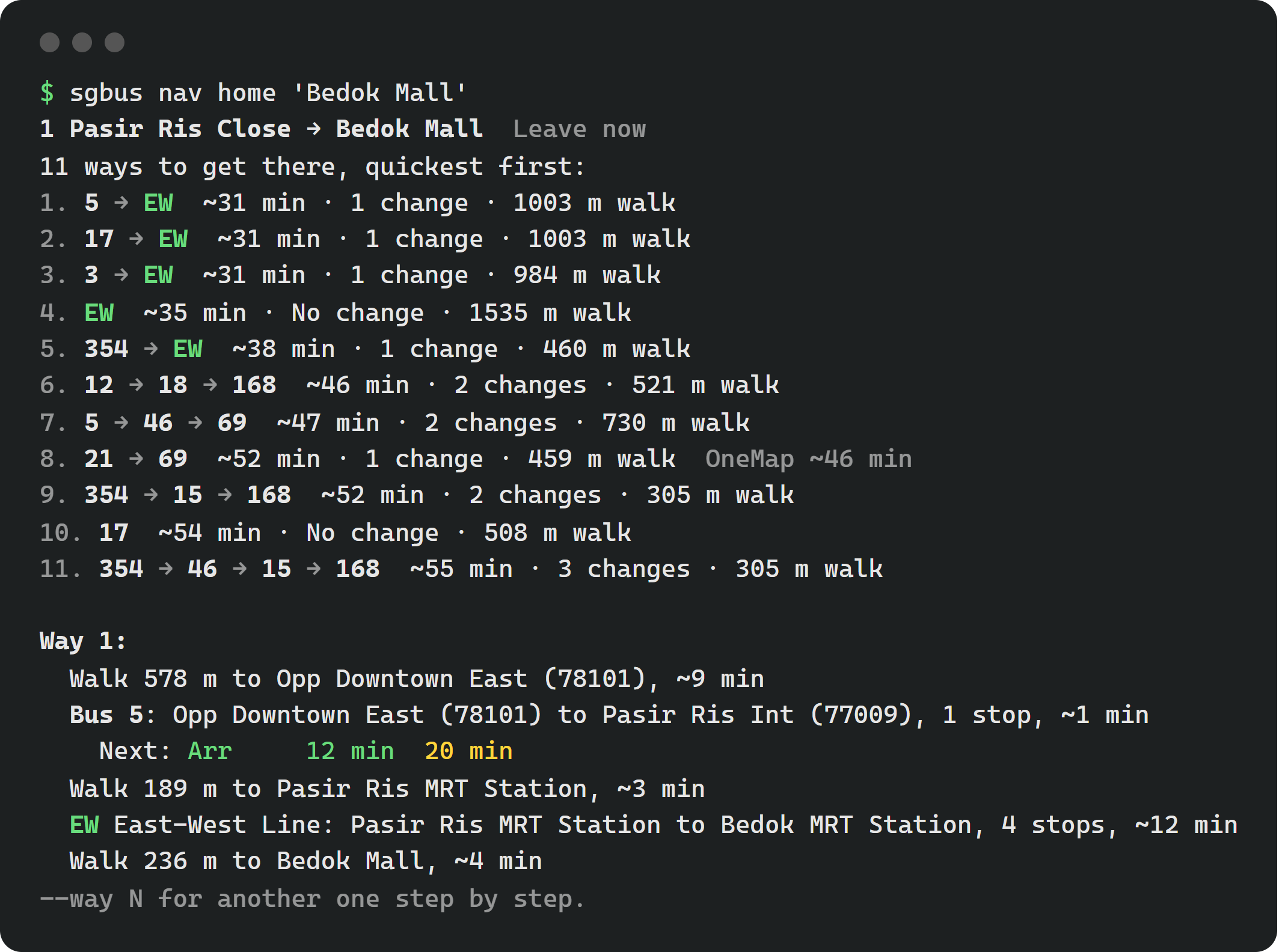
is Navigate, by bus and train from anywhere to anywhere. Either end can be an address, a building, a postal code, a station, a stop's code, or one of your places by name, such as . The first way comes step by step, with live timings for its buses; shows the third instead. goes by a stop on the way, and with it's saved with the stop, as Navigate's Save nav does. A walk to or from a station says which exit, the one nearest the walk's other end.
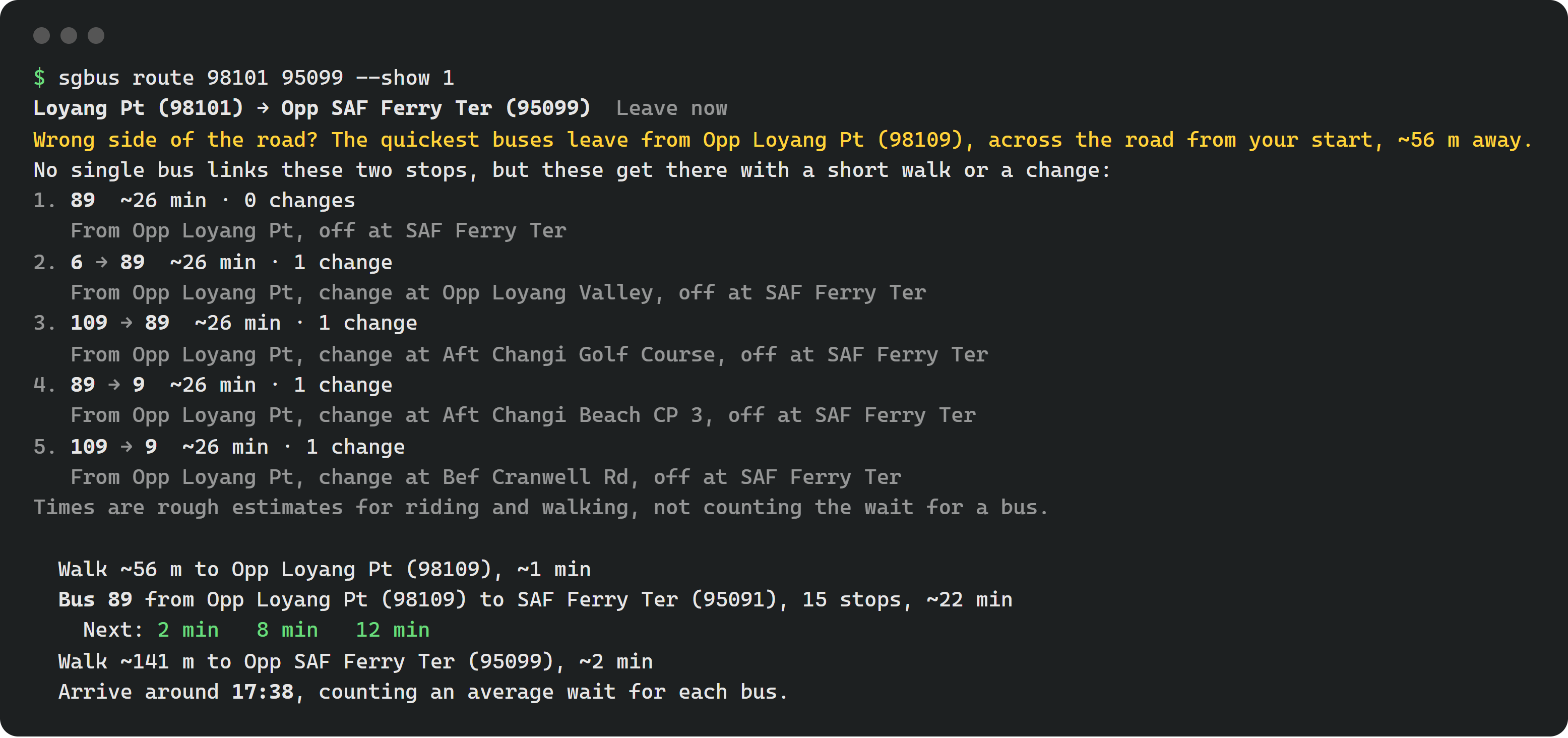
is the route planner, bus only, stop to stop: the buses that run straight between them, or the quickest journeys with a change. takes the first step by step.
For another time, add or , and , a weekday or a date. keeps a route or a nav: and list them, and plans the first again. With Restricted areas on (), both can use the stops inside Changi Airport's cargo area and at MINDEF, as in the web app's Settings.
Across the Causeway, both count time to clear immigration at the checkpoints, and show it as a step, as Navigate does: by the time of day, or your own with (15, 30, 45 or 60; goes back).
Favourites, places and routines
| Command | What it does |
|---|---|
| Saves a stop. removes it, saves a bus. | |
| Every favourite stop's timings at once. keeps them on screen. | |
| Sets Home, Work, or a place of your own (). lists them. | |
| A routine: the stop's next buses at 7:45, on weekdays unless says otherwise (, , ). takes every bus starting 22. lists them; changes one. | |
| Train disruptions and traffic incidents, as in Service alerts. | |
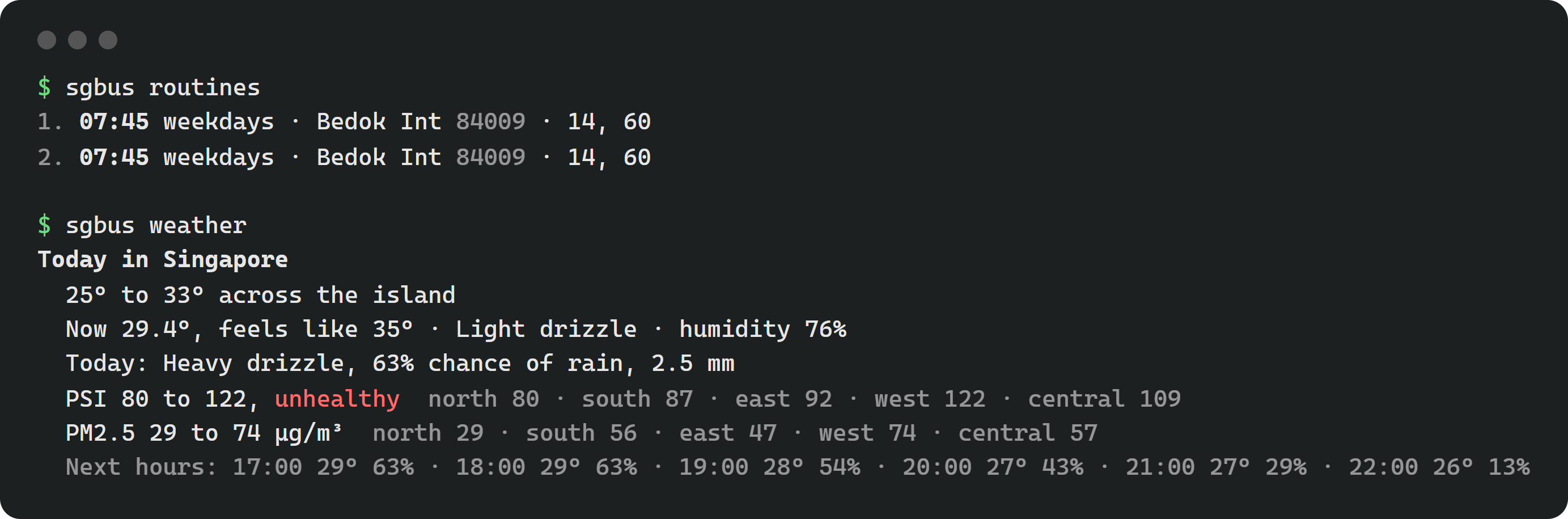
| Today's weather, PSI and PM2.5, as the web app's weather button. | |
| Links your calendar by its private iCal link. lists your events with a place, and plans the way to the first, to arrive by its start. | |
| Where favourites pin, Restricted areas, and Immigration time (). |
Routines arrive as desktop notifications once their timer is on. From the , once:
systemctl --user enable --now sgbus-routines.timerFrom the single file, or without systemd, run from cron every minute. Notifications need (); without it, they're printed.
What you save is kept on this computer, in . It doesn't sync with your other devices or the bot yet.
Add to a command for its data instead of the text, for your own scripts: . turns the colours off.
In the web app
The same commands work in the web app, with nothing to install: open the sgbus terminal from Settings, with **Ctrl+sgbussgbus>fav add 84009` there is a favourite on Bus timings too.